Isomux for Enterprise 2: Turning your company AI native
This post is part 2 in a series on how Isomux adds value at your company:
- Isomux for Enterprise: Agents for Normies: how to get non-technical employees to leverage agents.
- Isomux for Enterprise 2: Turning your company AI native (this post): a playbook for automating more and more of your company.
Agent crews
The concept of an AI native company is one where most things are run by agents. Most people imagine "AI employees" which get more and more capable, until you talk to them just like a normal employee.
Steve Yegge has a different take on how to make a company AI native in his Gas City post, and it clicked for me because of how easy it is to get started, regardless of where your company is at:1
- Find the narrowest business process
- Build agentic automation around it
- Repeat
Gas City has a concept of a "pack", a small crew of agents that runs one business process, 24/7. His example is user image moderation for a game:
- Agent 1 wakes up whenever a player uploads an image and gives an approval/reject verdict
- Agent 2 checks the first agent's choice and has final say
Having multiple agents with specialized roles has two purposes: (1) a safety net against agent mistakes or "hallucinations",2 and (2) matching the shape of any multi-step business process.
The work of turning a company AI native, then, is managing these crews as you add more of them, each more complex than the last.
Crews in Isomux
Isomux has all the ingredients for this approach toward turning a company AI native (the examples below will make this concrete):
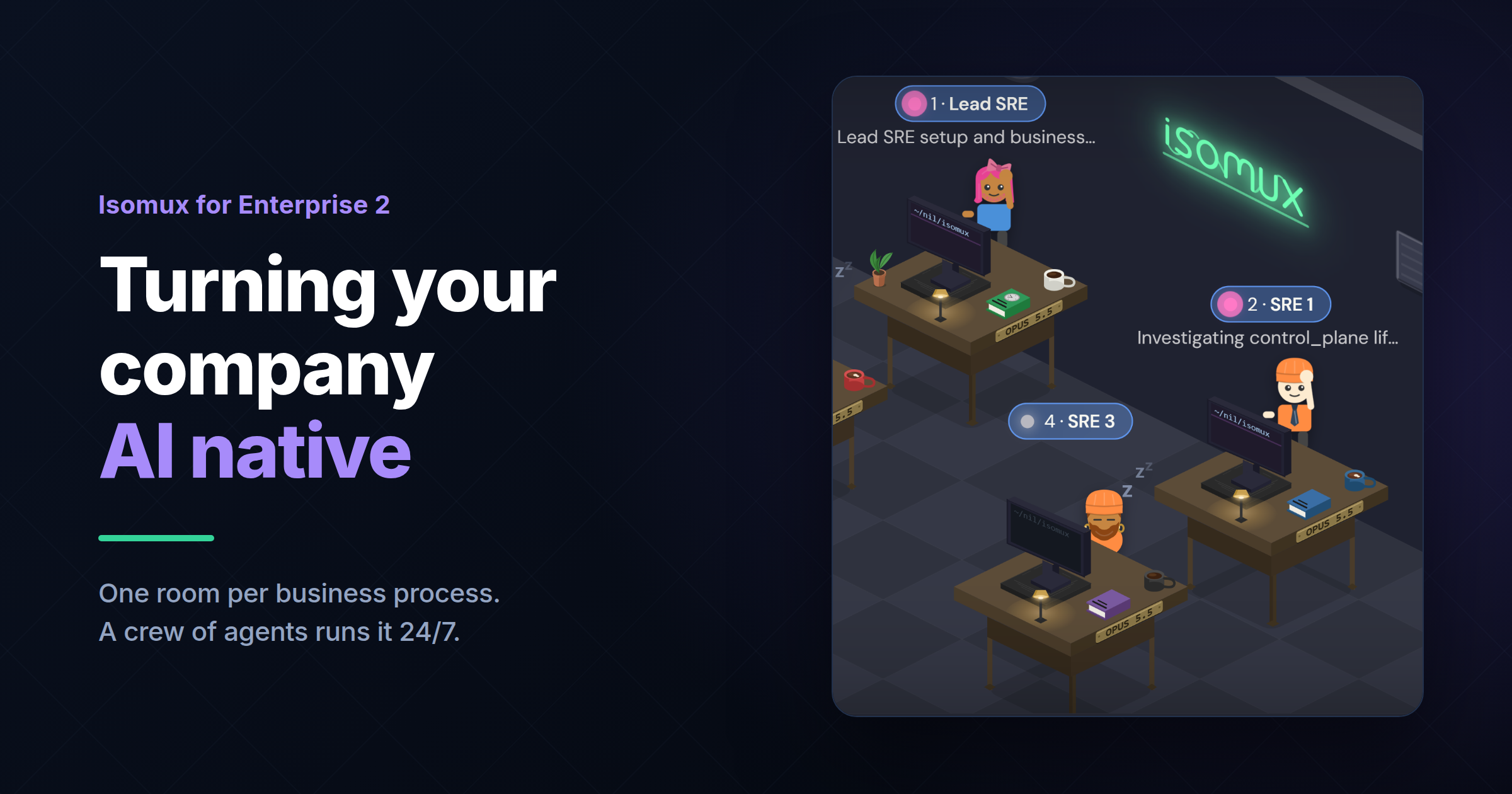
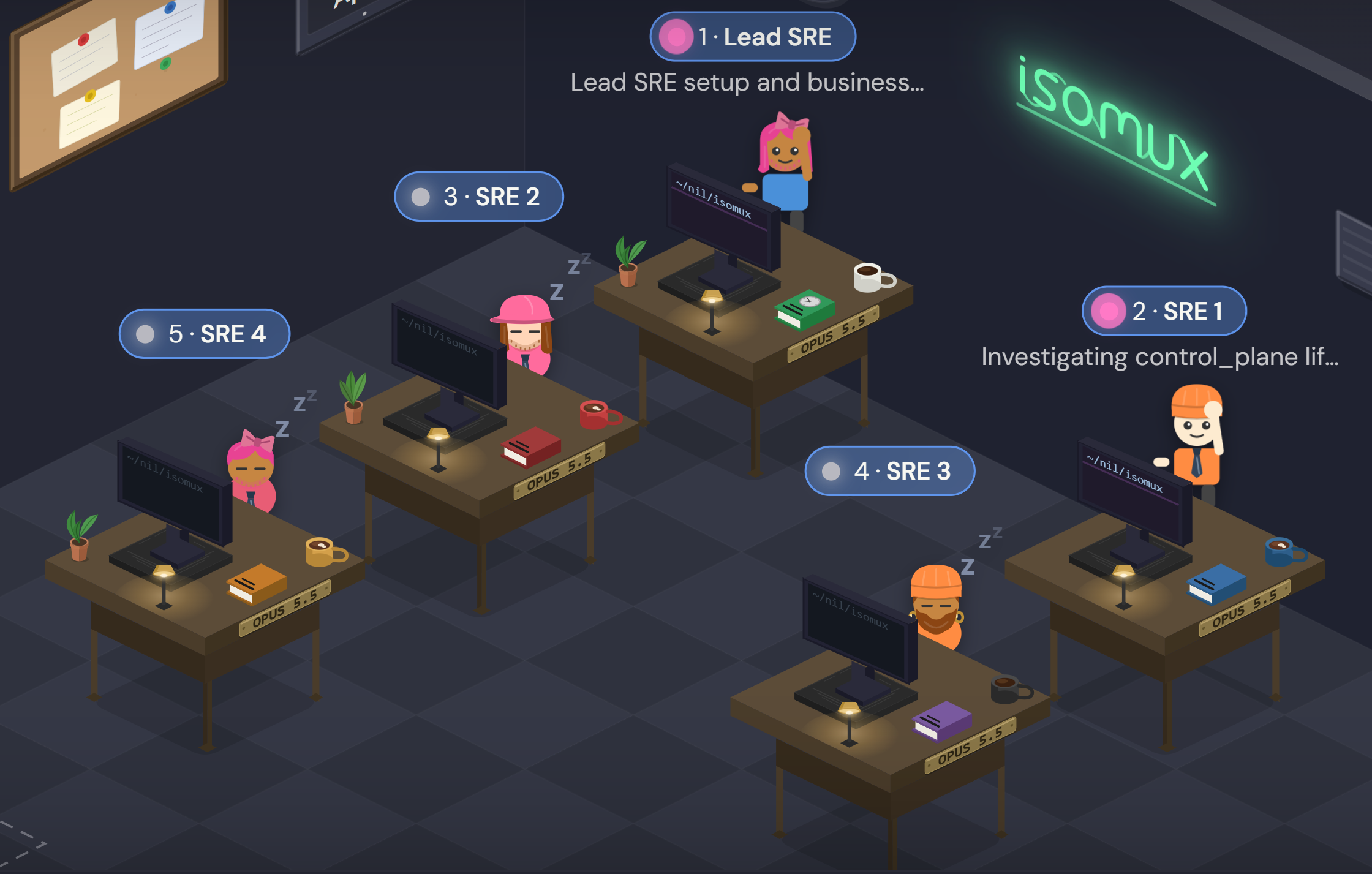
- Setting up crews: one room = one crew.3
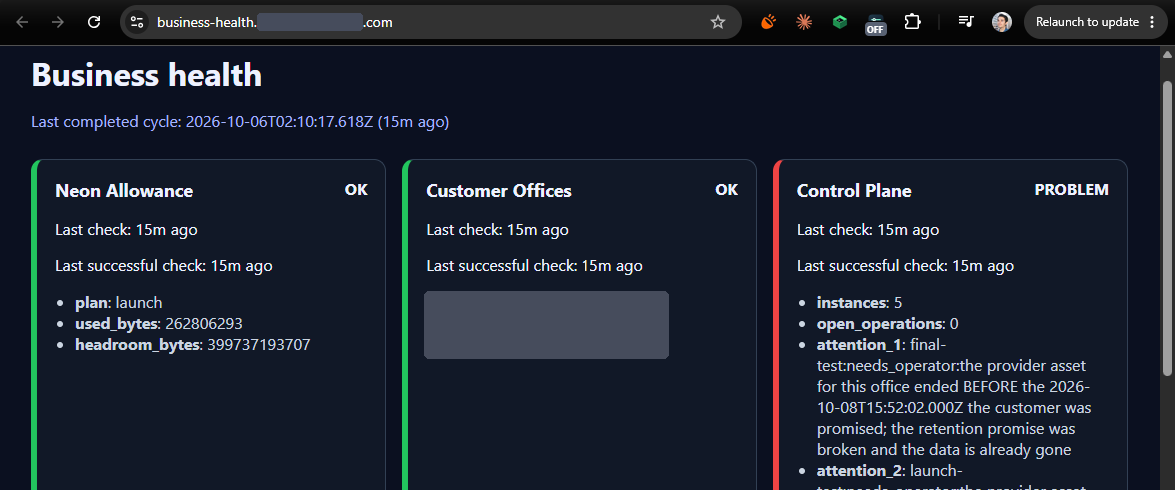
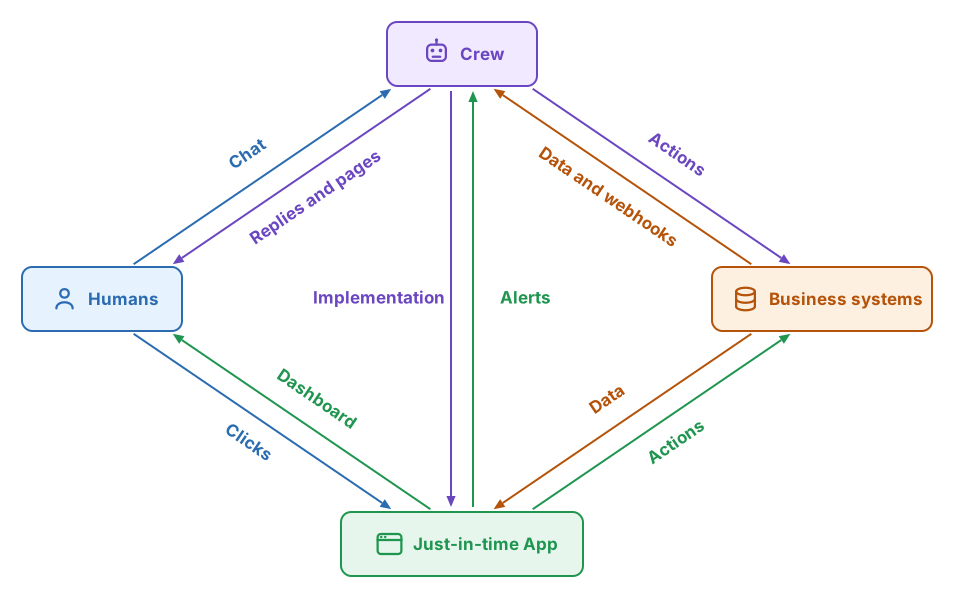
- Building custom apps and dashboards around each business process, with just-in-time apps that get proper URLs and reuse the office's authentication.
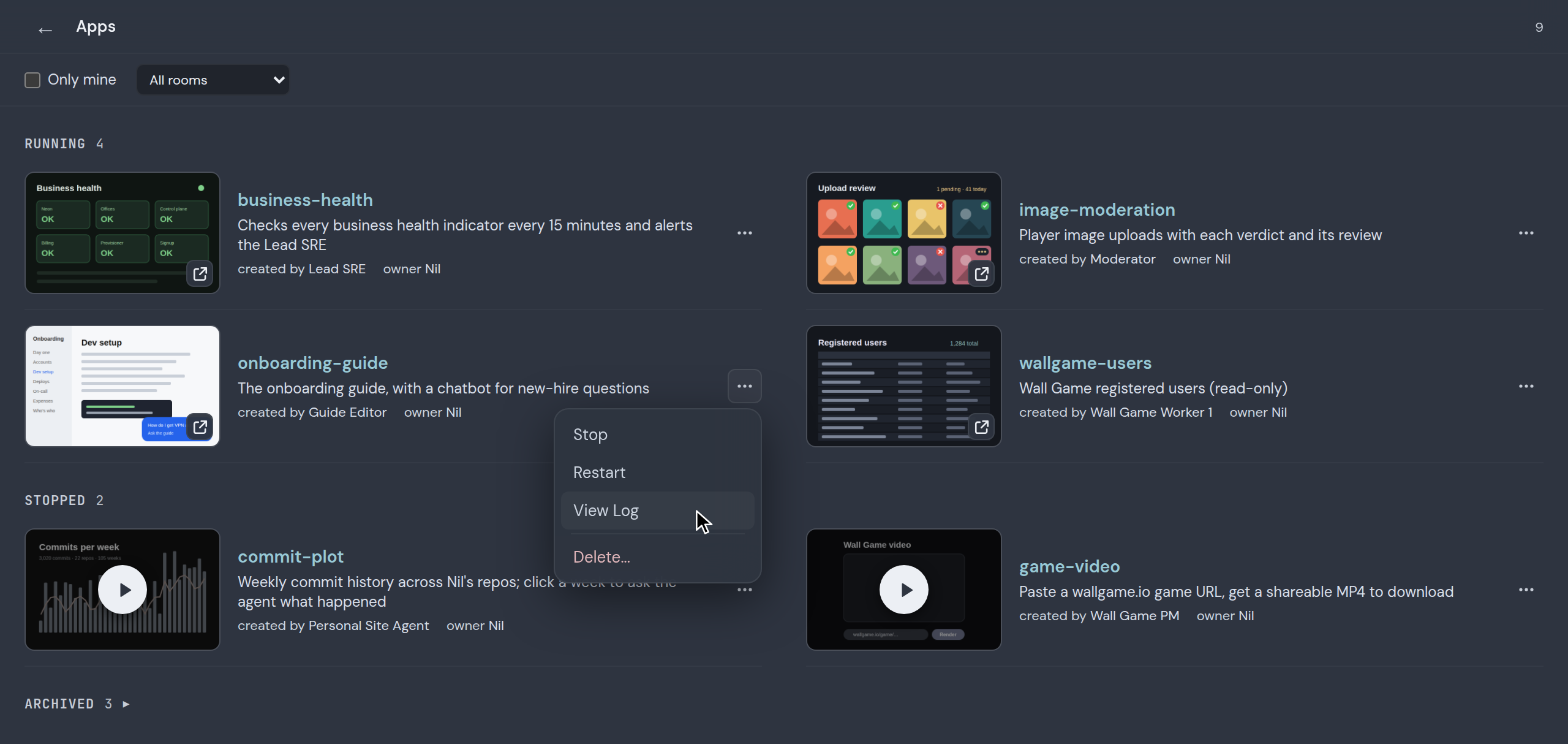
- Seeing all your crews at a glance: the built-in "app store" for just-in-time apps becomes the crew catalog.
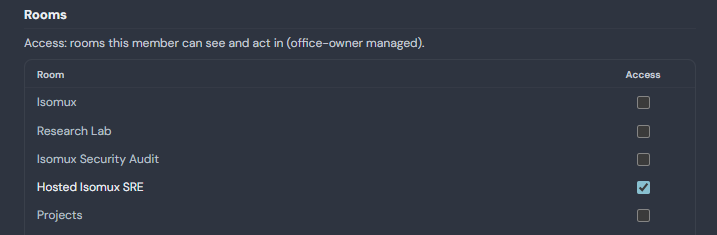
- Inviting colleagues to manage the crews (Isomux is fully multiplayer). You can invite people to specific rooms/crews.
- Getting pages from the crew (or the app) for escalations.
![A Discord channel where the Pages app posts '@Nil [Hosted Isomux] test: Lead SRE pager', with a card reading 'This is a test page from Lead SRE. No incident. Ack it to stop the repeats.', signed Hosted Isomux SRE, Lead SRE. Below it, a second message reads 'Resolved: [Hosted Isomux] test: Lead SRE pager'.](/blog/isomux-crews/lead-sre-page.png)
- Using webhooks, scheduled jobs (cron jobs), or app-to-agent messages to wake up the crew.
You don't need to set up the crew manually. Explain it to, say, your "Crew Creator" agent, and it'll take it from there.
It'll probably take some iterations to fine-tune a crew. It's not quite as simple as "one prompt, one business process automated," but it's as close as possible.
Crew example
I have a Hosted Isomux business that I need to monitor. If, e.g., the web storefront goes down, I need it handled ASAP.
This is what I did:
- Asked my preexisting "Isomux Tech Lead" agent to create a room called "Hosted Isomux SRE".
- Asked the Isomux Tech Lead to add context about the business in the room system prompt, including how to connect to the DB and the server logs. The room system prompt is added to every agent in the room.
- Asked the Isomux Tech Lead to spawn five agents in the room: "Lead SRE", and SRE 1 through 4. The room system prompt establishes the workflow: when a new alert reaches the Lead SRE, it either dispatches the work to an SRE or escalates by paging me. (Isomux agents can message each other.)
- Asked the Lead SRE to build a just-in-time app that (1) checks every business health indicator every 15 minutes, (2) shows them in a dashboard, and (3) messages the Lead SRE agent on any bad signal. (Isomux just-in-time apps can message agents.)
The setup guarantees that, anytime anything looks wrong, we get an agent looking at it within 15 minutes, with all necessary context. The agent then follows the playbook in the room system prompt.
When everything works, I rarely need to look at the room or the dashboard until I get paged.
Why I like having a lead agent
In most crews, I designate one agent as the lead. It doesn't do work itself; it just coordinates.
That has a few advantages:
- The crew can handle multiple tasks coming in close together
- The lead agent sees every issue coming in, so it can infer patterns
- The lead agent's own chat stays available for me to drop in anytime and chat with it
- The lead agent can clear the sessions of the workers before dispatching work to them, so the workers don't suffer from context rot
- The lead agent's own context stays small since it's not doing the heavy lifting, so it doesn't suffer from context rot as much. When necessary, it can hand itself off to a new session.
Sensitive actions
What if we don't want every agent to be able to UPDATE the database?
We could set it up so the workers are not allowed to do such queries without approval from the lead. If we are paranoid, we can add a "DB Integrity Guard" agent prompted to protect the DB at all costs, and only let that agent approve operations.
Isomux doesn't isolate agents from each other at the OS level yet, so treat this as a guardrail, not a security boundary.4
Another example
Say your company has an onboarding guide. Maintaining it is a chore, so you create the Onboarding Guide Crew.
You update the guide page so that, when a new employee has a question, they can ask a chatbot right there (routed to another agent in the crew).
Every time they do, that triggers the crew:
- An editor agent looks at the question and asks itself: how can the guide be improved so this is covered better? Then it edits the guide.
- An adversarial reviewer agent makes sure the guide doesn't bloat. It is told that the longer something is, the less attention readers keep.
Conclusions
If you want to start turning your company AI native and find this vision compelling, contact me. Isomux runs in your own infra. It doesn't lock you into any harness, provider, deployment shape, etc.
I'm currently looking for design partners.
Links
- Part 1: Isomux for Enterprise: Agents for Normies
- Landing page: isomux.com
- GitHub (all source available): github.com/nmamano/isomux
- Design and architecture: nilmamano.com/blog/isomux
- Just-in-time-app suite: nilmamano.com/blog/personal-software-suites
- Hosting setup (AWS, Render, etc.): isomux.com/docs/hosting
- License (TL;DR: Free for non-production use like testing, and for any orgs up to 10 people.)
- Contact: Nil on X, LinkedIn, the Isomux discord, or at [email protected].
Want to leave a comment? You can post under the linkedin post or the X post.
Footnotes
-
There are more radical versions of an AI native company, like this one, where all data is stored, as soon as it exists, somewhere agents can reach it, so they have full context and can trace any connection. That's probably a good idea for a new company, but it's hard to turn an existing company into one. ↩︎
-
Some suggest using different providers for different agents in the crew (like Claude and Codex) so they cover each other's blind spots. ↩︎
-
An Isomux room has 8 desks, so a crew can have up to 8 agents. That's enough: most crews need a handful. ↩︎
-
In a system where agents message each other, there's a tradeoff between collaboration and isolation. Isomux leans toward collaboration. ↩︎