The Personal App Store
Isomux has an app store for vibe-coded software: you ask an agent to make a web app, and then other users in your office can see it on their browsers or install it on their phone's home screen in one click.
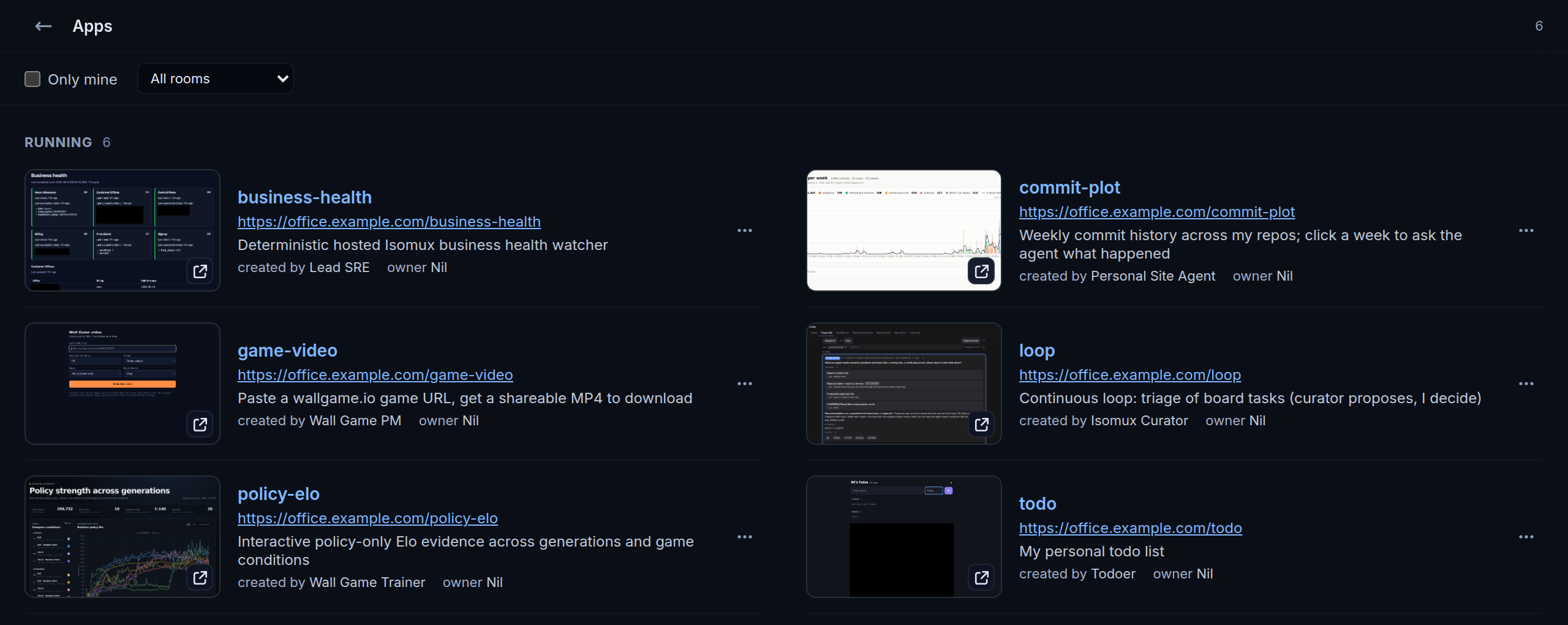
In this post, I explain how that works; and, more broadly, I make a case for personal app stores as a meta-harness feature.
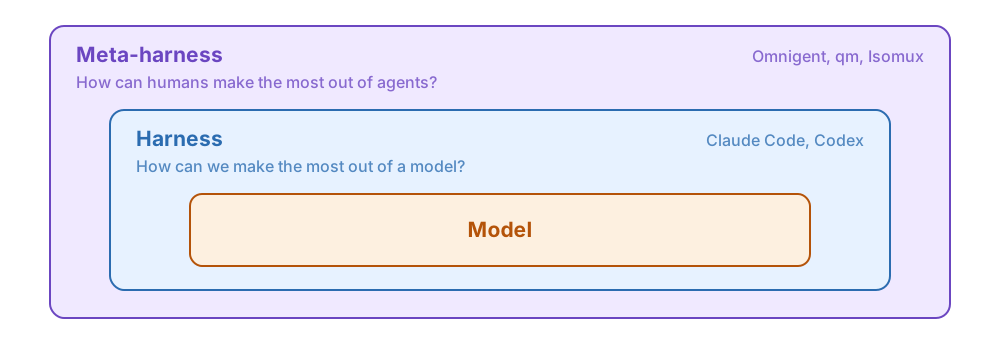
Harness vs Meta-harness
- A harness wraps a model into an agent.
- Features: tool calling, compaction, thinking effort, etc.
- Examples: Claude Code and Codex.
- A meta-harness sits one layer above: it manages the runtime of multiple agents, often across providers.
The boundary is blurry, but a useful framing is that the harness is model-centered while the meta-harness is human-centered:
Personal software
The terms software-for-one, personal software, and just-in-time software all represent the same concept: an app spun up by an agent on the spot, for a specific user and use case.
This category became possible when agents started one-shotting simple apps, and it supplements the LLM's default way of interacting with you. Chat is not always the best interface!
Say you are planning a trip. The agent can build a web app showing the itinerary, find an unused port, and point you at something like localhost:5173 to see it.
Despite their simplicity, personal software has some cool features that normal software doesn't. Here's the core architecture:
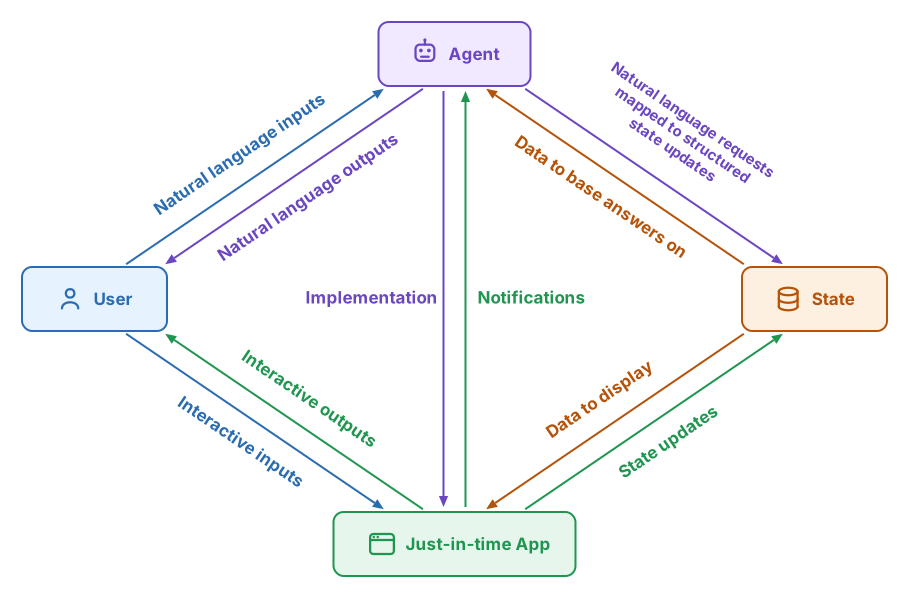
The full graph is not needed for every app, but it can be convenient:
- You can engage with the app via both natural language and an interactive UI. Consider a to-do app. Sometimes, you want to look at a dashboard and tick items off. Sometimes, it's better to ramble at the agent and let it figure out how to map that into to-do list updates.
- The arrow going from the app to the agent forms a closed loop: agents can build apps that message them back (we'll see how soon). For example, imagine a service monitoring app that messages the agent when a health metric crosses a threshold.
Personal software is typically vibe coded (the user often doesn't even know the tech stack), and version control is optional.
Scaling Personal Software
As people reach for personal software more and more, we hit some scaling pains:
- A port coordination problem: ports are hard to remember, can collide, and are hostile to non-technical users.
- A lifecycle problem: depending on how agents spin up apps, the apps may go down when the user clears the session.
In fact, personal software benefits from many meta-harness features: 24/7 access independent of the agents, multi-device support, and human collaboration with authentication.
The App Orchestrator
The clean solution is an app orchestrator module in the meta-harness itself. The meta-harness already solves the hard parts! That is:
- An always-on box
- accounts and permissions
- multi-device
- an API agents already call
The app orchestrator piggybacks on all of that and adds centralized port assignment. Ideally, it also hides ports from the end user and shows them a nice UI with all their apps: the personal app store.
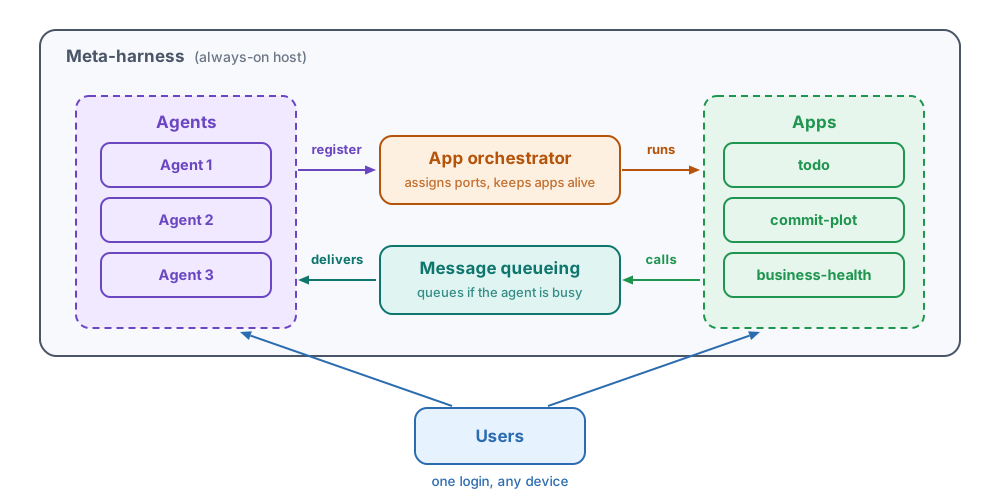
How it works:1
- The app orchestrator manages an app registry.
- The agents register apps by name via the meta-harness API (which they know about via the meta-harness system prompt).
- The orchestrator finds a free port for the app and gives it a name-based URL, like
metaharness-url/todo-list(metaharness-urlis where you manage your agents). - Apps share the lifetime of the meta-harness, not the agents. They survive individual sessions.
- Apps ride the same authentication as the meta-harness, so privacy and multiplayer features come for free.2
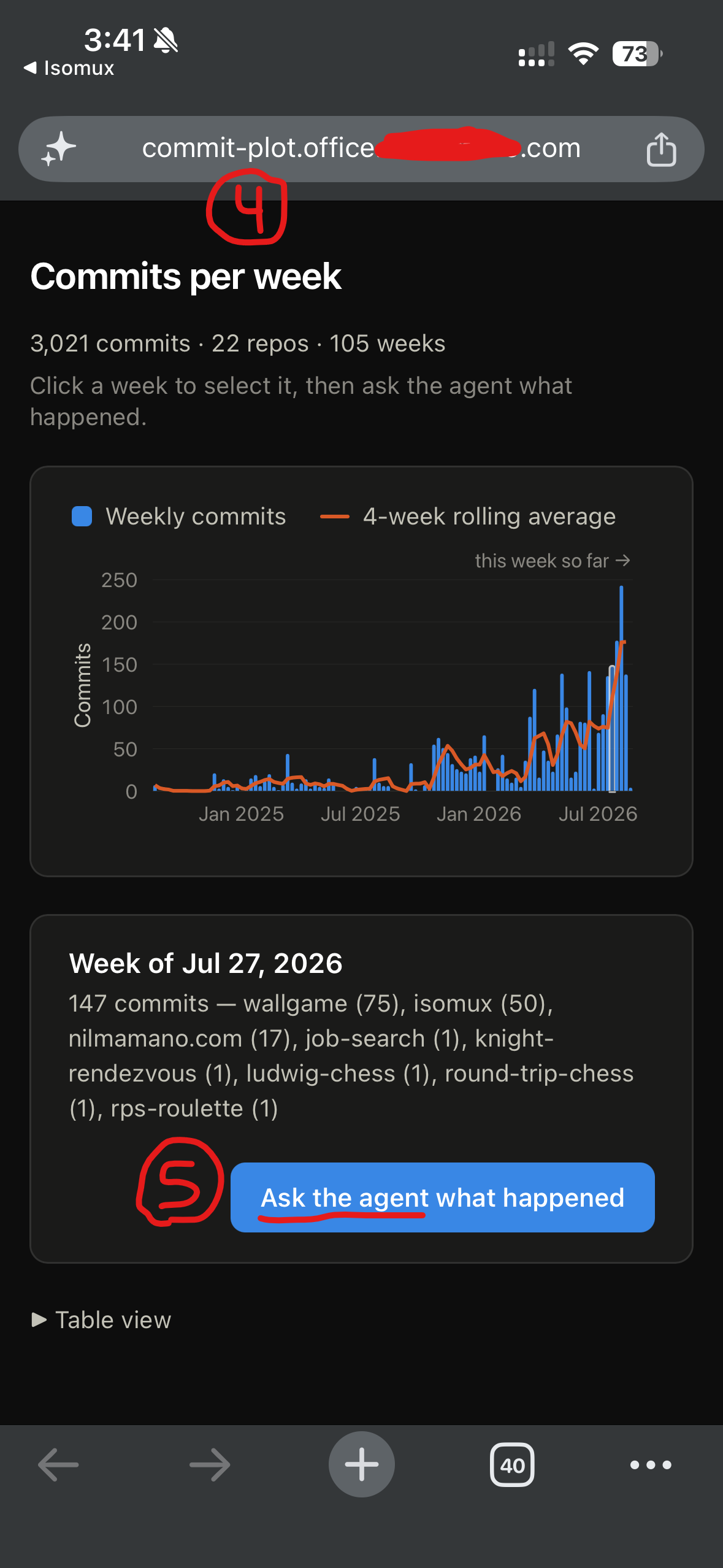
- The user can install an app on their phone's home screen, like a native app.3
- The meta-harness UI includes a page where the user can see and manage all their apps, like a personal app store.
- Each app has a chat widget, so the user can talk to the agent that built it without leaving the app. The user can paste screenshots of the app into it.
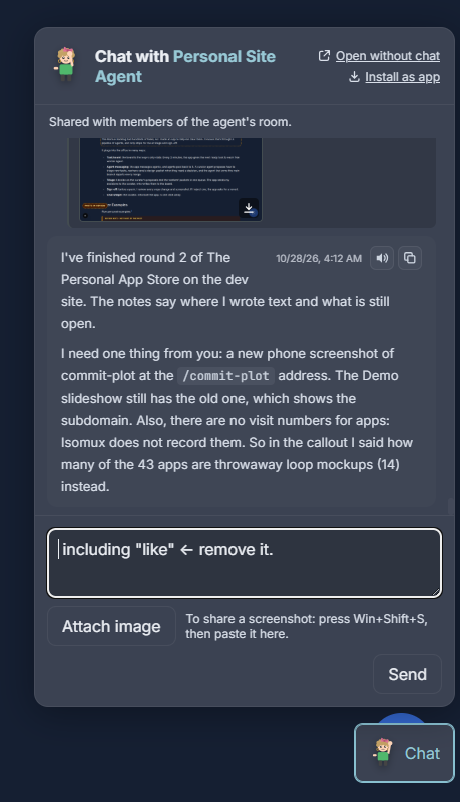
Meta-harnesses often have API endpoints for messaging agents, which means that the infrastructure to implement the closed-loop is already there.
Demo
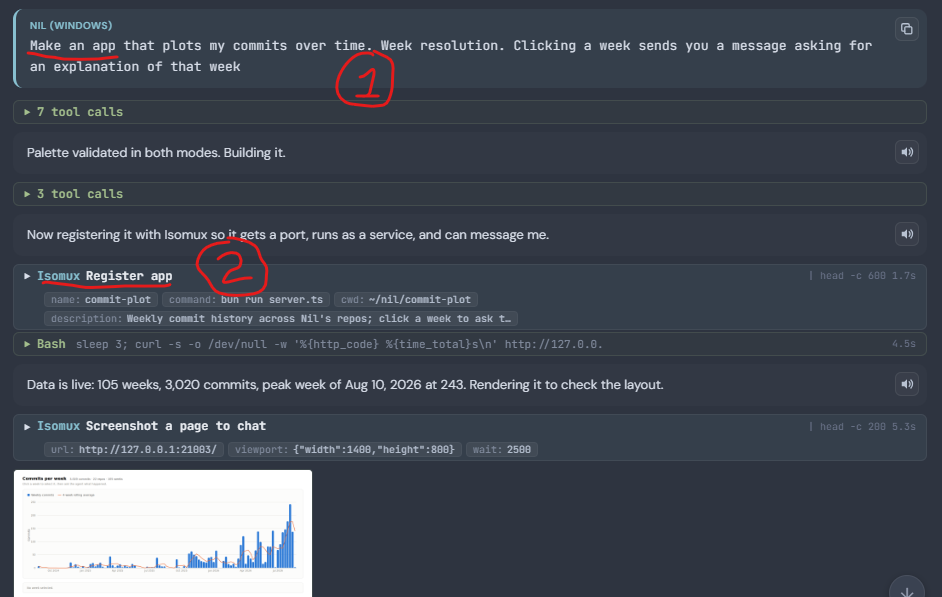
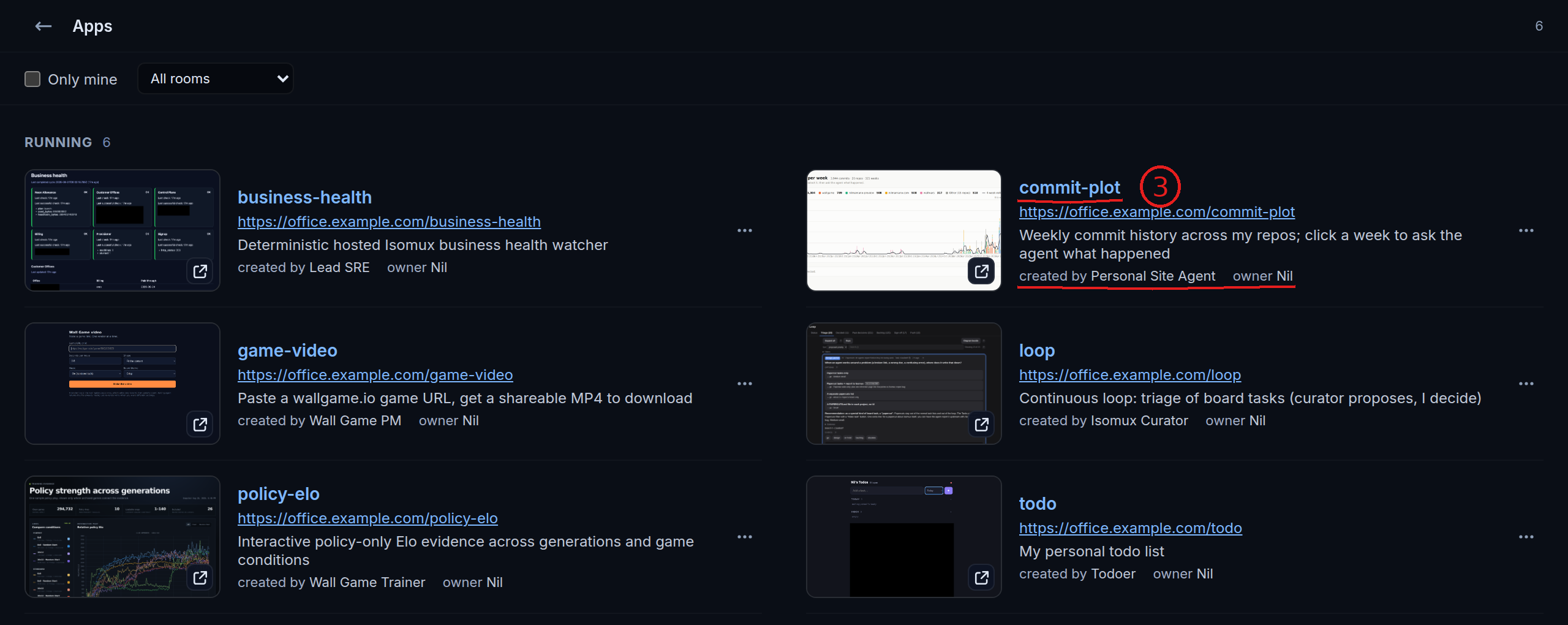
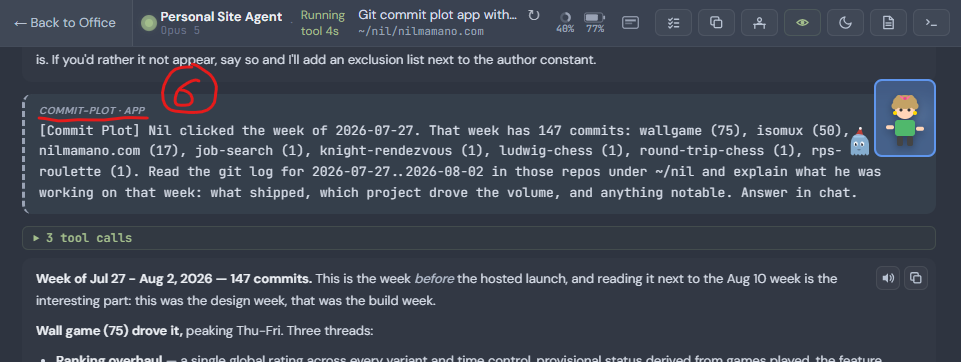
Here is the full workflow in Isomux (follow the captions):
Examples
This section is to give readers ideas for things they can use personal software for.
Despite the feature being fairly new, as of 2026-10-28, my office is running 29 apps, built by 25 agents for 5 different users.4
Four guests in my office, including family members, got apps built for them without ever seeing a port, a terminal, or a deploy. They asked an agent for something, and a URL appeared.
A cute detail is that the app orchestrator gives each one a different favicon:

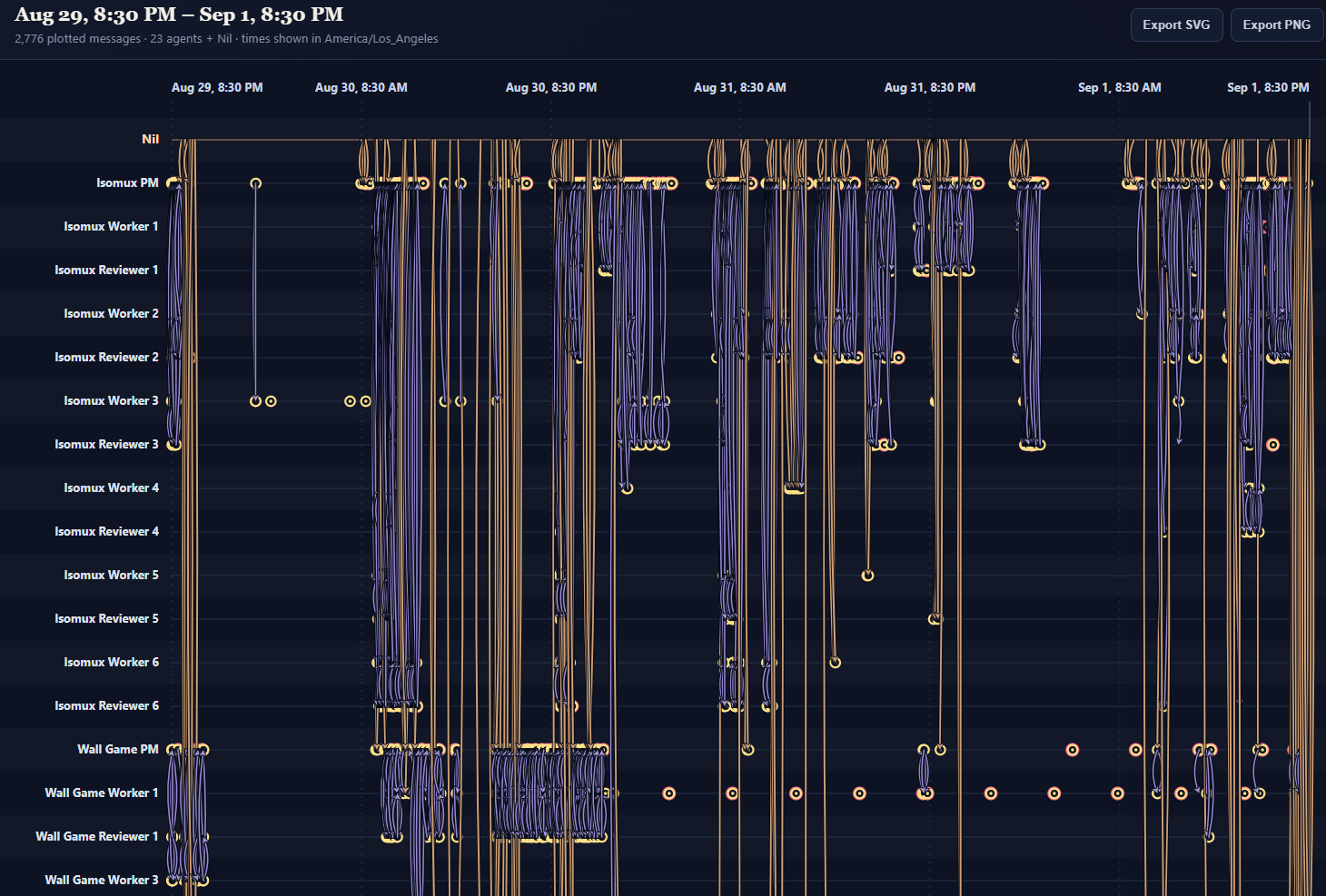
Loop Engineering App
My biggest app runs the development loop of Isomux itself.
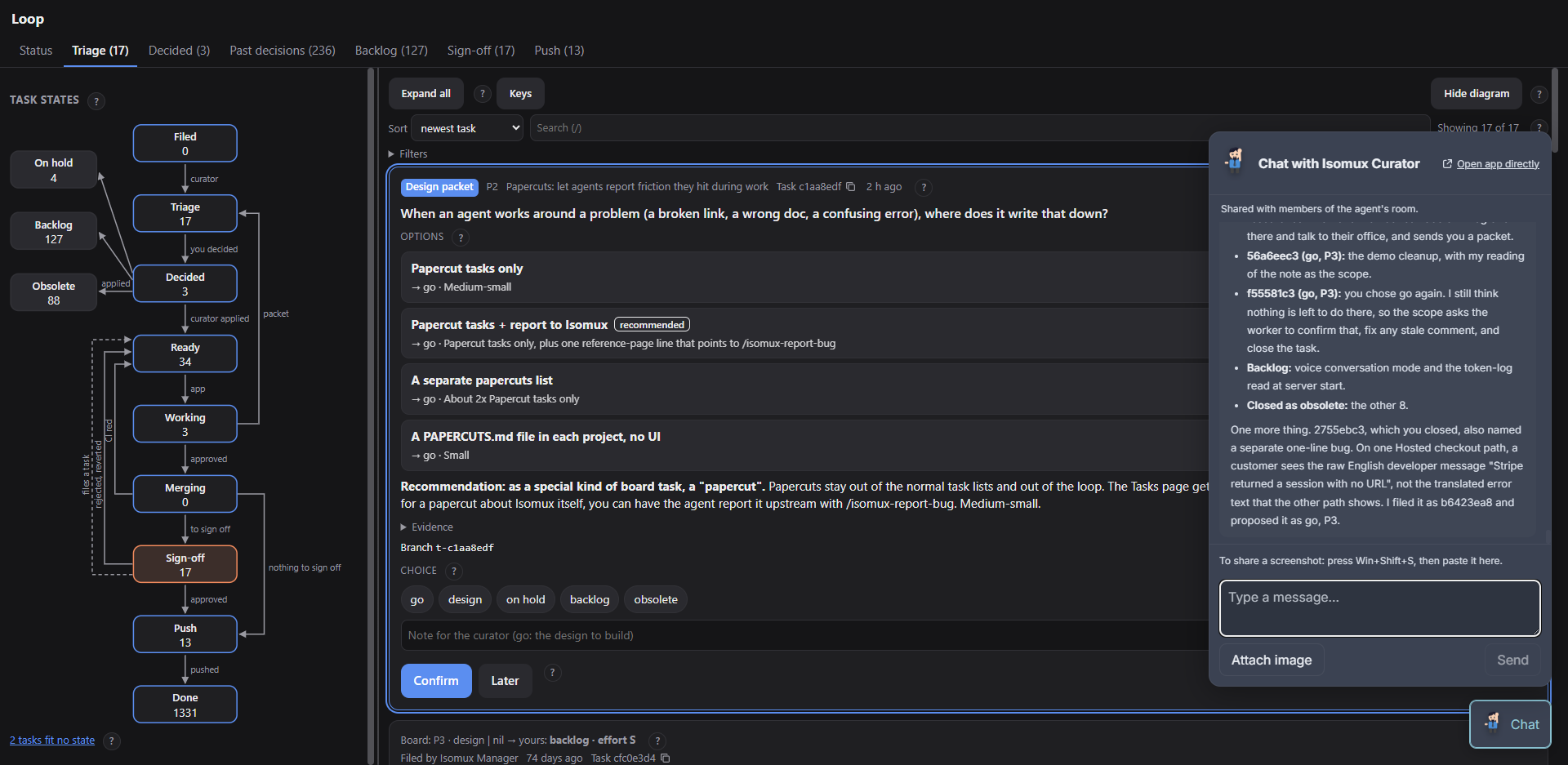
The Isomux backlog had hundreds of tasks, so I made an app to help me clear them. It moves them through a pipeline of agents, and only stops for me at triage and sign-off.
It plugs into the office in many ways:
- Task board: the board is the loop's only state. Every 2 minutes, the app gives the next ready task to each free worker agent.
- Agent messaging: Agents send "design packets" for tasks to the app, where I triage them. Triage decisions go back to the agents to kick off implementation.
- Chat widget: I refine the app as I go by talking to the agent that built it.
Other Examples
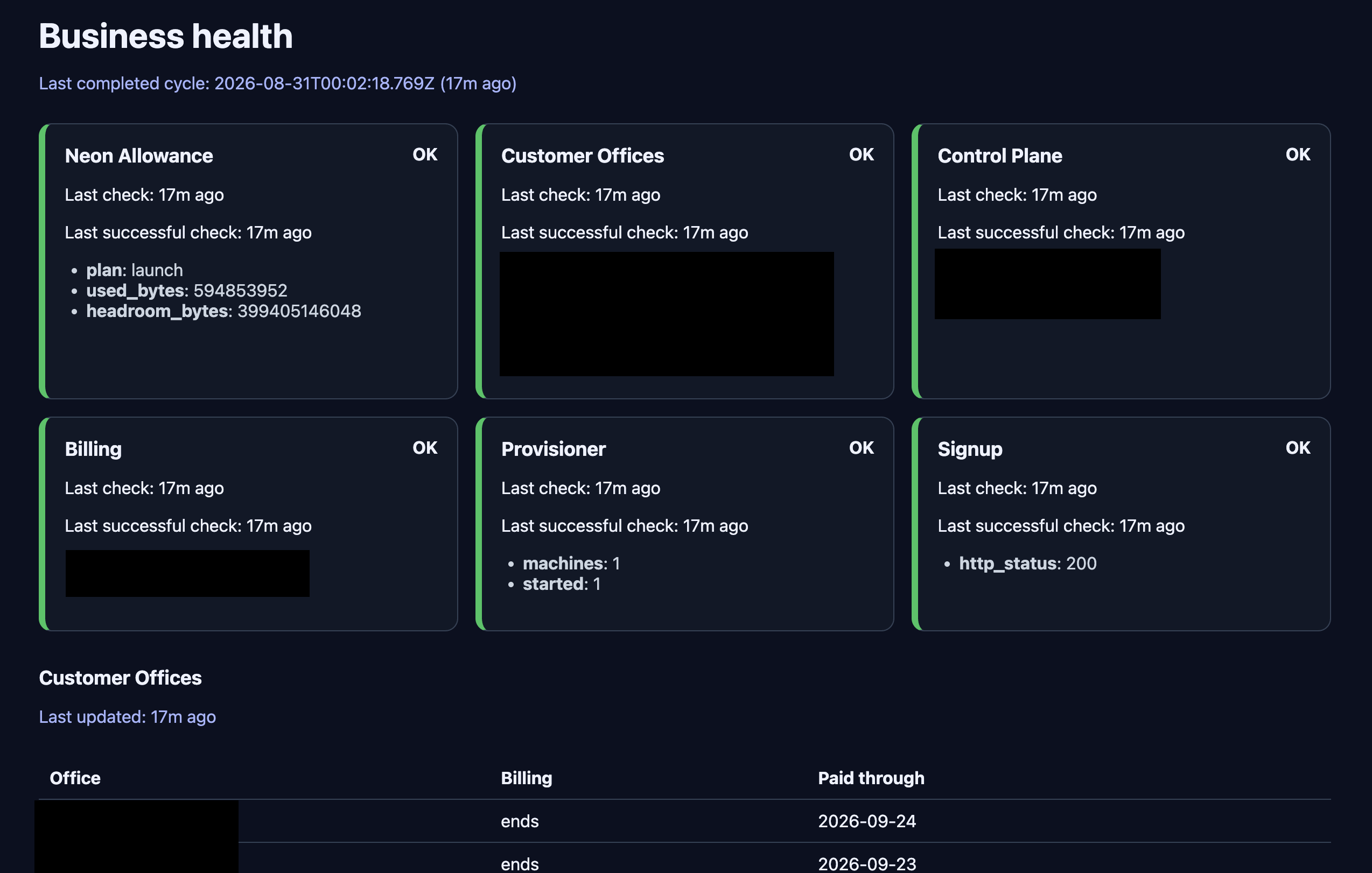
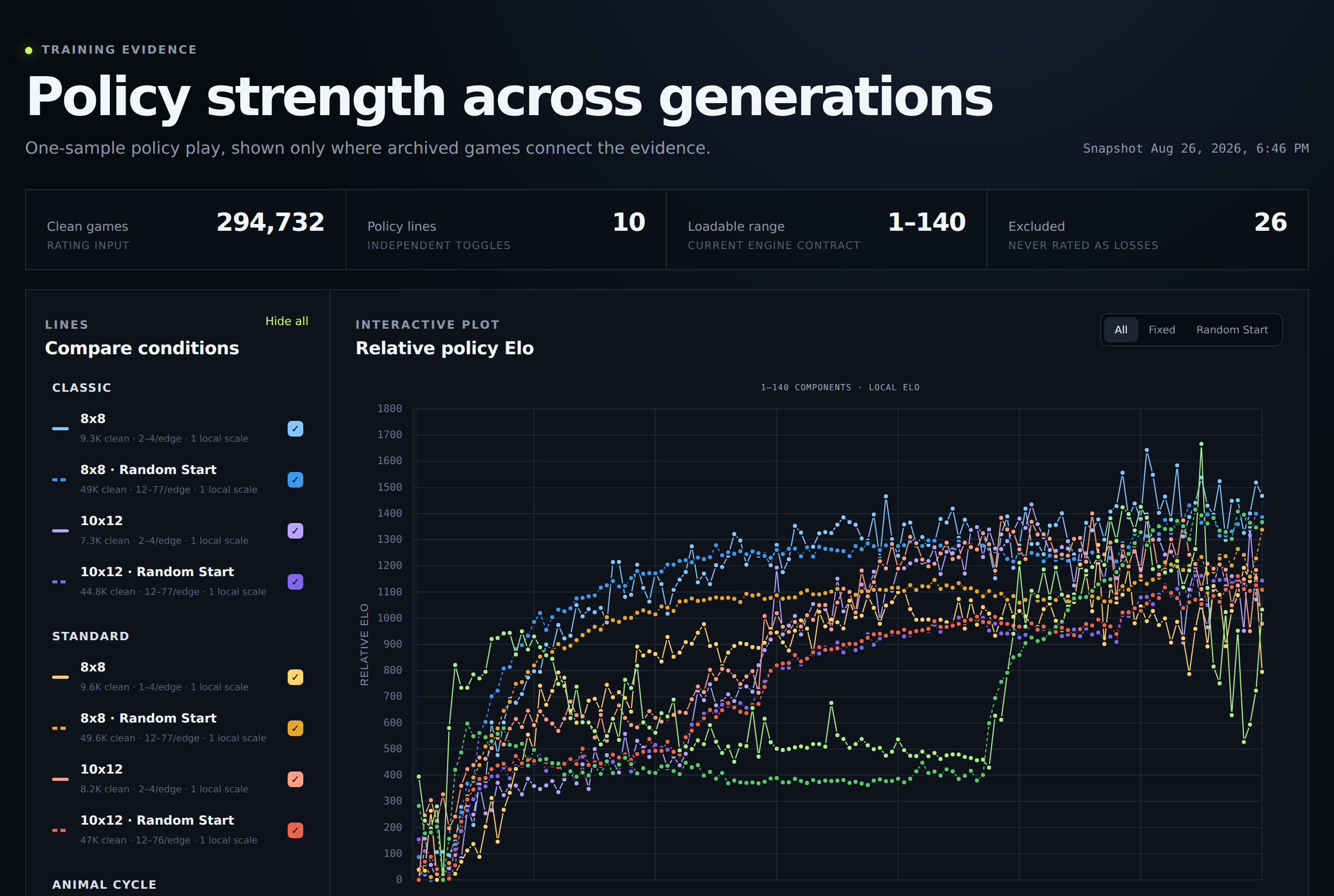
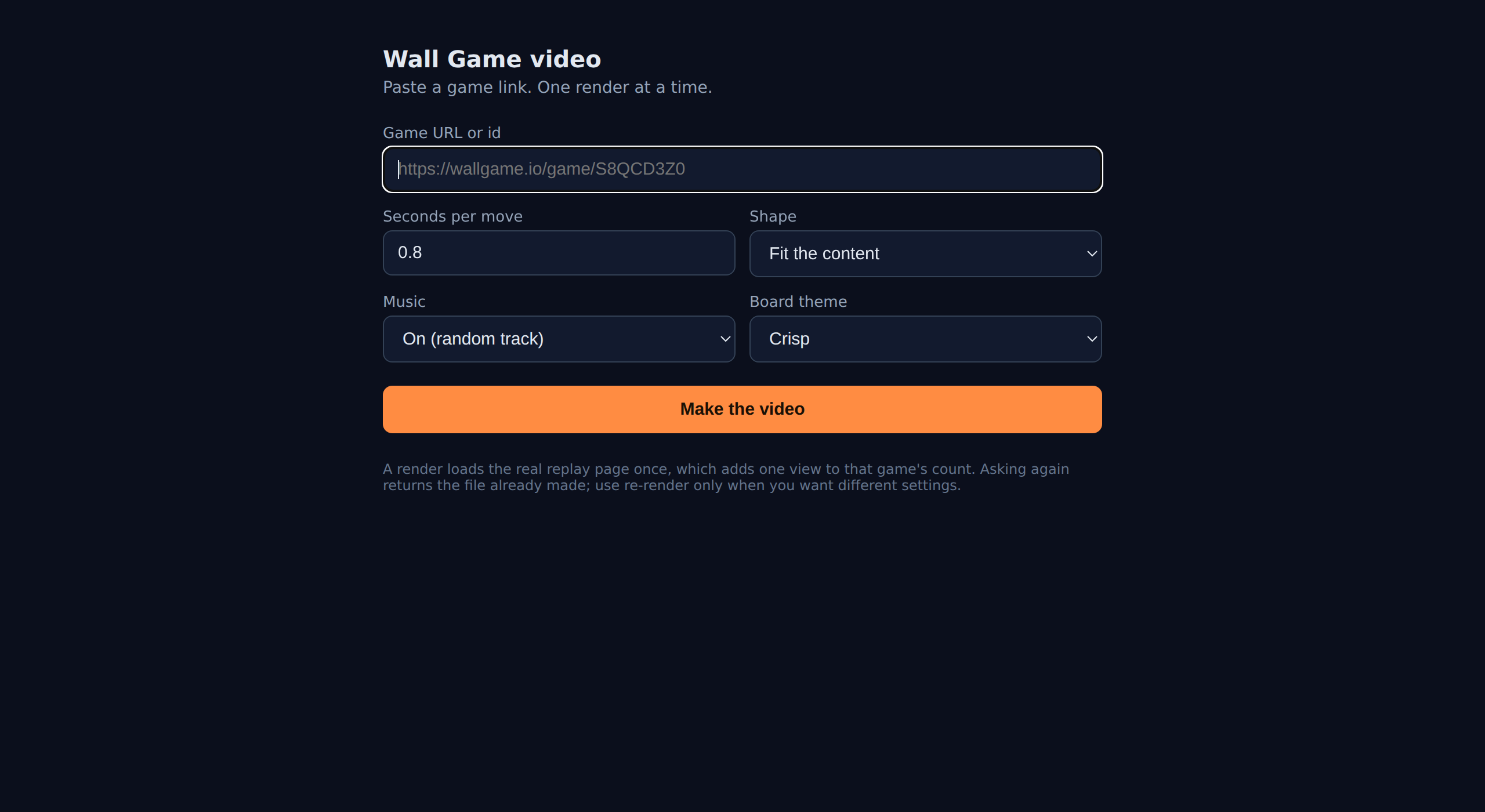
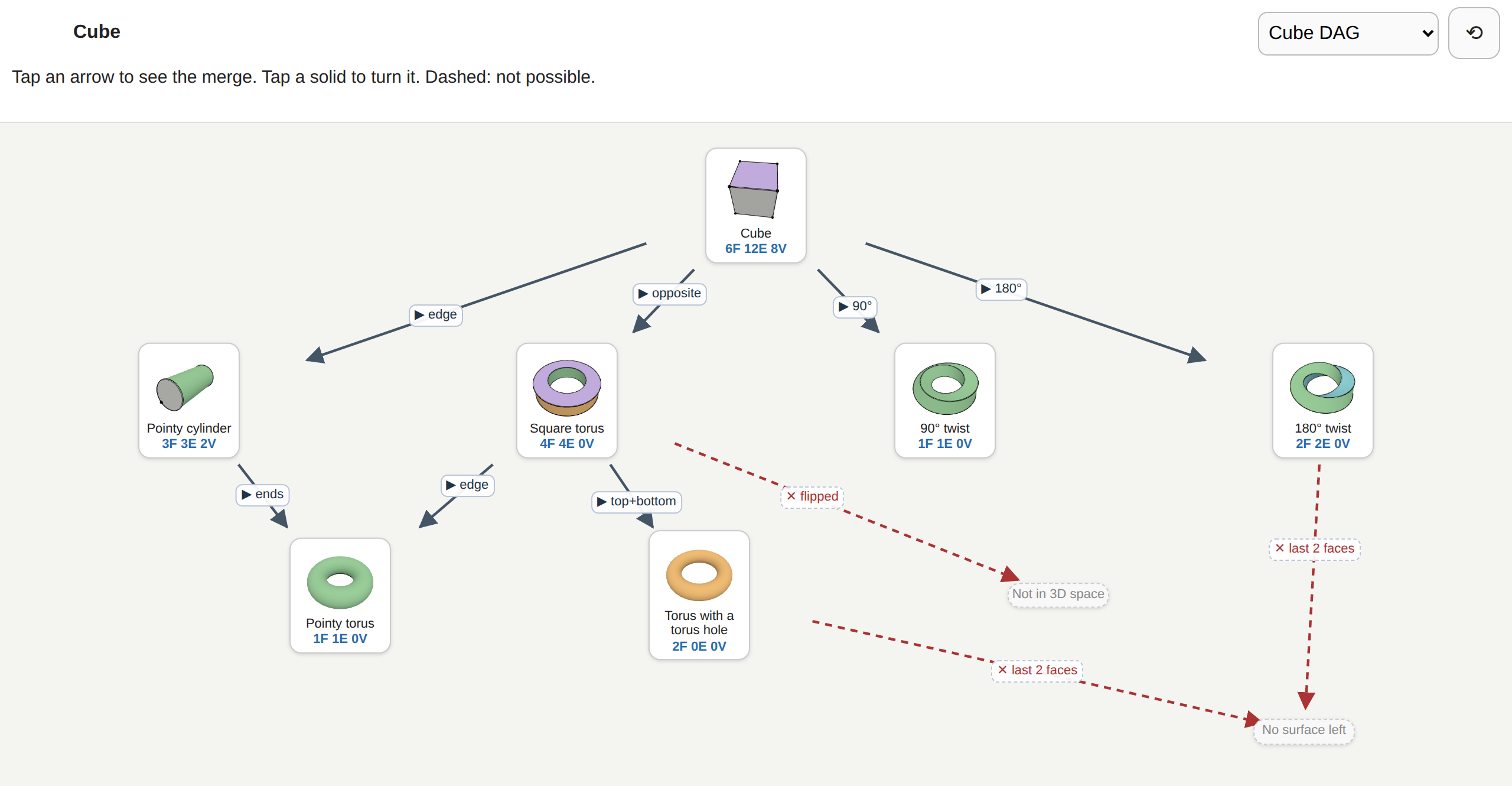
Six personal examples:5
Conclusions
The personal app store fits naturally in the meta-harness and doesn't really have any downside, which is rare.6 The main pieces were already there; the missing connection was the app orchestrator module.
I expect the idea to catch on or be re-invented by a bigger player soon. If you are building on top of harnesses, copy it! Or hire me and I'll do it :)
But if you just want your own app store, check out Isomux.
Want to leave a comment? You can post under the linkedin post or the X post.
Footnotes
-
Implementation details are at agent-apps-design.md. ↩︎
-
The way it works in Isomux is that the office owner can see apps registered by every agent, whereas office members can see only apps registered by agents in rooms they have access to. ↩︎
-
Isomux is a PWA (Progressive Web Application), so "Add to Home Screen" installs it as a native app. Each app inherits this behavior, so "Add to Home Screen" works on them too. ↩︎
-
I don't know their tech stacks, but I've seen at least JS and Python apps. I also don't know which ones are on GitHub, if any. As mentioned, these are non-concerns for just-in-time apps. ↩︎
-
I made one just to write this post - my usual blog previewer was being slow, so I asked the agent to spin up a new one. ↩︎
-
Another major upside that didn't even make it to the post is that, by controlling ports at the meta-harness level, you can lock down security a lot more tightly than if random agents are exposing ports willy-nilly. ↩︎