Context Composer: Editing Your Agent's Context Behind Its Back
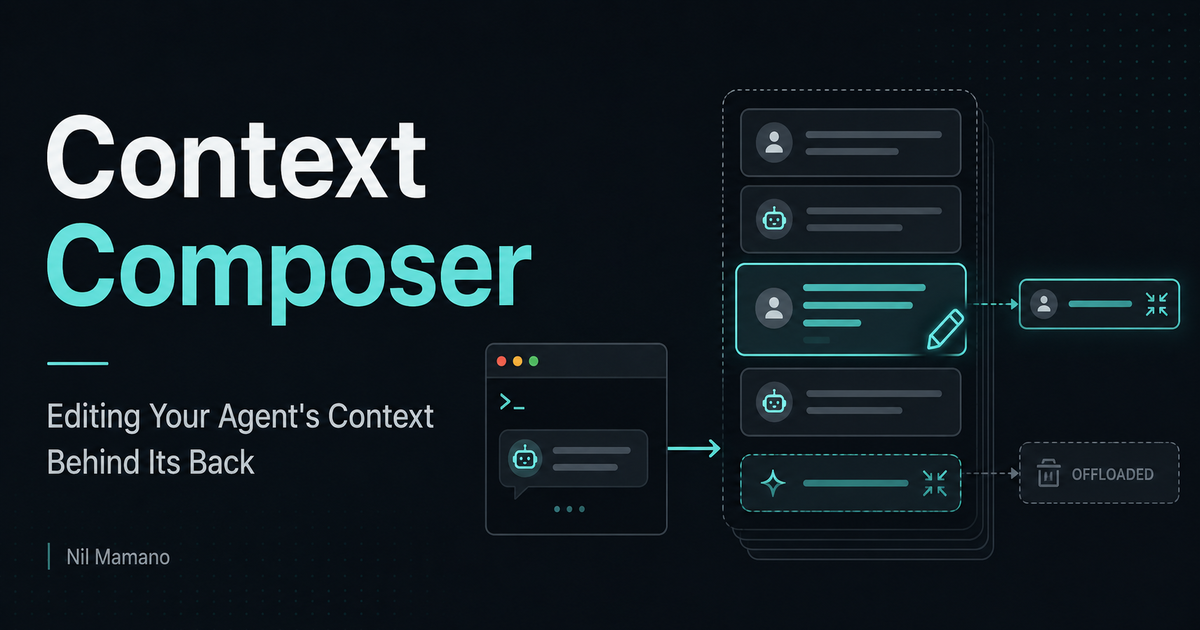
Context accumulates junk, degrading attention and increasing costs.
The standard answers are coarse:
/clear(lose everything)/compact(no control over what survives)
Recently, new patterns are emerging to give more control:12
- Conversation forking to remove the last
Nturns. - Subagents for token-expensive computations or searches, where only the final result makes it to the main context.
/btwfor aside questions that don't stay in context.
To me, the interesting question is:
What is the final form of context management? What if we give users full control?
To examine this, I built Context Composer, a proxy that sits between Claude Code and Anthropic's servers.
It lets you see the raw text flowing through, but more importantly, it gives you full control to edit it.
It's like doing brain surgery on your agent:
- Delete obsolete versions of code that you've iterated upon
- Compact only unimportant messages
- Fix past hallucinations with free-form editing
- Offload to the filesystem context that's unlikely to be needed again
- Strip a 10KB tool result that mattered for just one turn
You can do all this from a web UI or a CLI, which means an agent can do it too:
The vision is that you can go to an agent and say something like,
"strip from context the part where we went in the wrong direction, summarize long tool results and delete useless ones, and compact that tangent we went on about lunch"
and it just works.
Instead of /compact, we could create a new skill, /compose-context, where you pass a description like the one above, and the agent translates it into CLI calls.
This post explains how it works. The source is at github.com/nmamano/context-composer.
How to use it
To intercept traffic with the proxy, set ANTHROPIC_BASE_URL when running Claude Code:
bun run proxy                                    # start the proxy
ANTHROPIC_BASE_URL=http://localhost:8788 claude  # a stock Claude Code
Then, use Claude Code as usual. The proxy is credential-agnostic, so your existing Claude subscription works.
You can open http://localhost:8788/ui to manipulate its context. The CLI is mentioned below.
Overview
The Anthropic API is stateless, which means that Claude Code resends the entire conversation on every turn. That resend is the interception point:
Claude Code  ──►   Context Composer (proxy)   ──►  Anthropic API
               decompose → reconcile → recompose
Each incoming request is:
- decomposed into context frames, which are "units of context" that can be manipulated independently.
- reconciled against the proxy's frame store.
- recomposed with your edits applied before forwarding.
The full resend also means that we don't rely on capturing responses coming from the server. The proxy only acts on the forward pass.
Frames
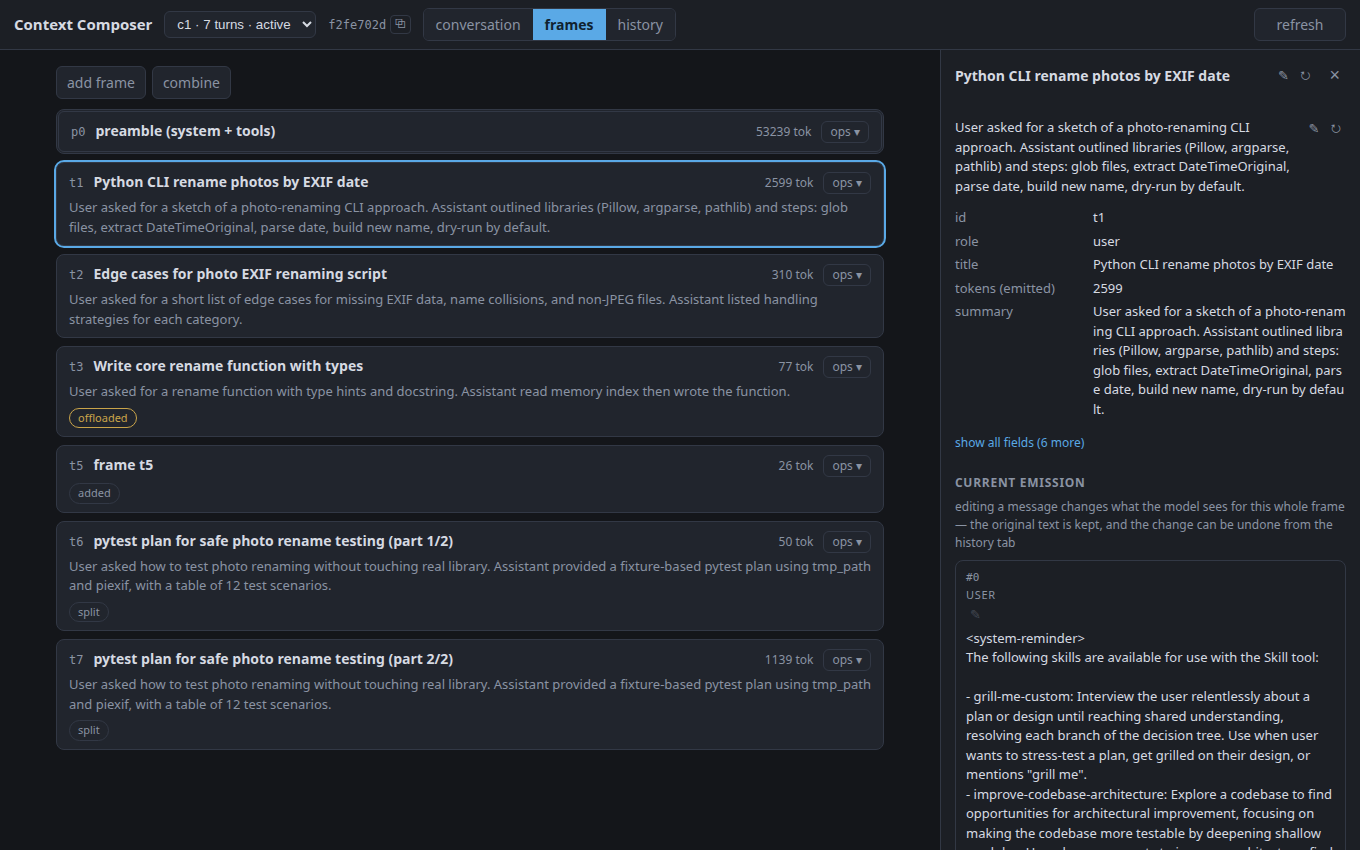
Each user message plus reply becomes one frame. This screenshot from the browser UI shows the frame view:
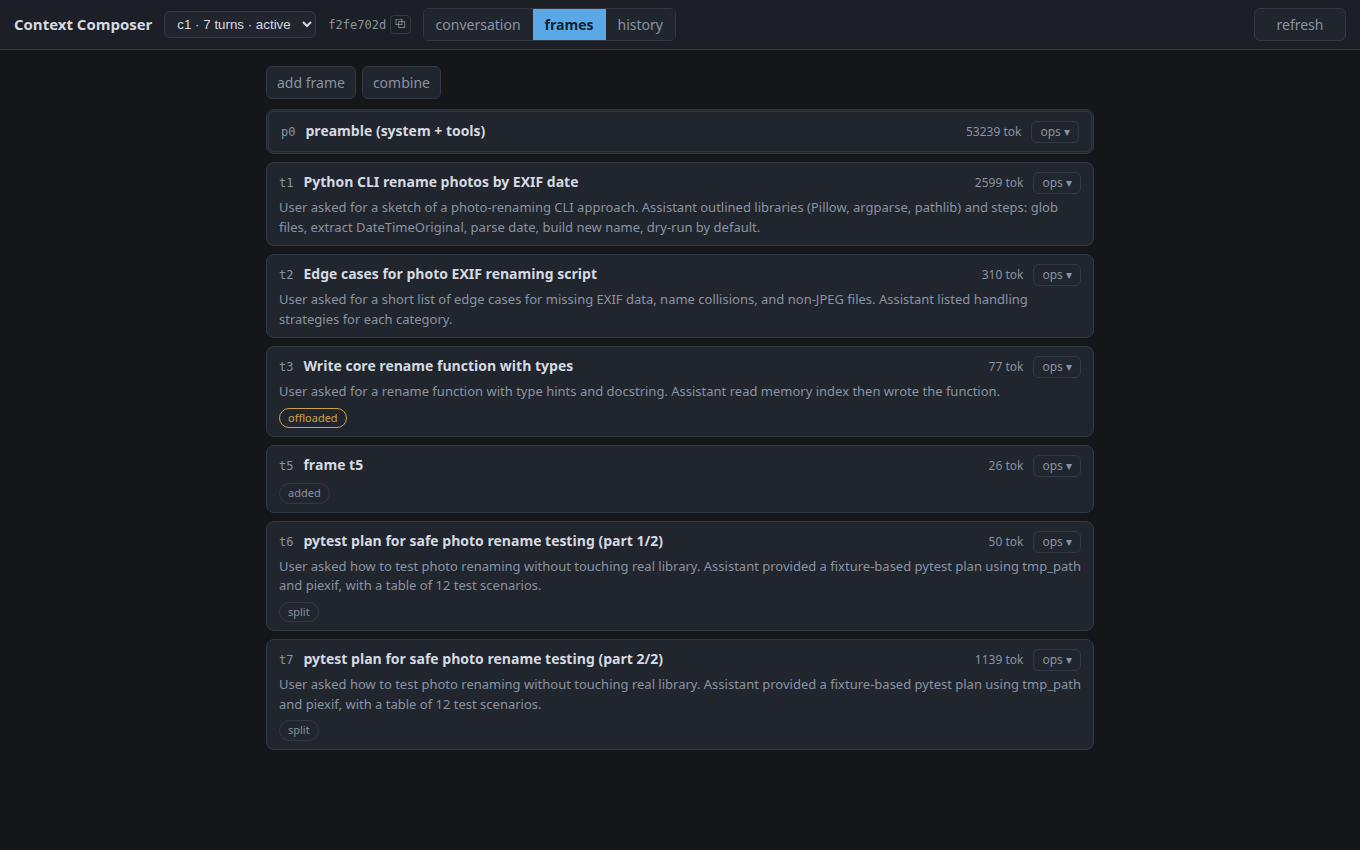
Frames have auto-generated titles by a cheap model.
The system prompt is also just a frame, which means that you can, e.g., delete it, though the provider (Anthropic's servers) will likely reject your request.
The operation catalog
The operations operate on frames and are available via browser UI or CLI.
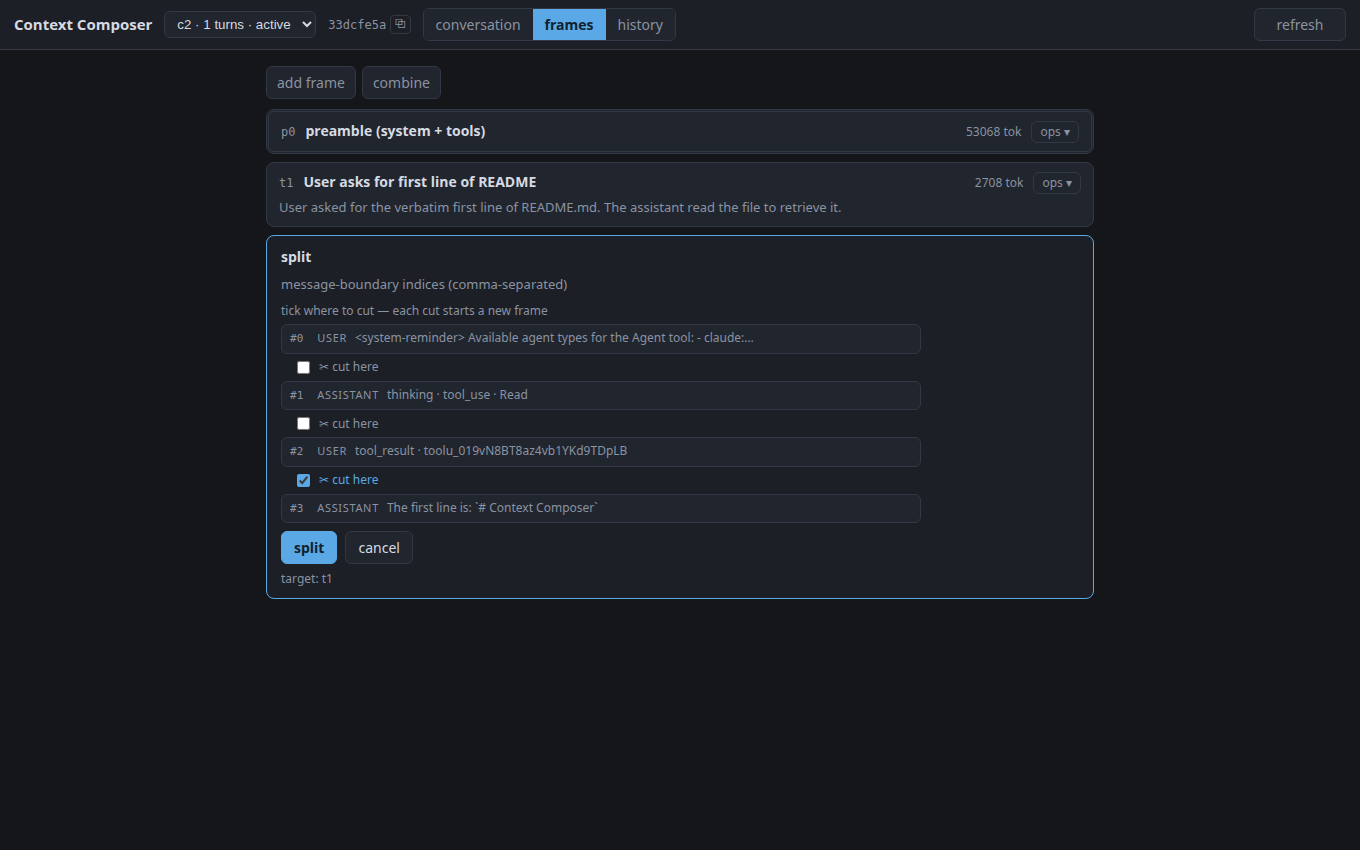
delete: remove a frame.revert: undo any past operation.edit: edit the frame's content freely.3compact: swap the frame for a short summary.offload: park a frame's content in a file; a stub with the file path takes its place, so the agent can read it back on demand with its own file tools.restore: undo an offload.move: reorder frames.add: insert a new frame at any point in the context, with any content you want.combine: merge frames.drop-results: drop tool results in a frame, keeping the calls.summarize-results: summarize tool results.split: cut a frame into parts:
CLI
The CLI talks to the running proxy via its local control API (default: localhost:8788), so it operates on the same live state.
By default, the CLI targets the conversation with the most recent activity, i.e., the one you're actively having in your Claude Code session.
bun run ctx conversations     # list conversations (active one marked *)
bun run ctx list              # list the frames (ids, titles, token counts)
bun run ctx show t3           # print one frame's full content + metadata
bun run ctx delete t3         # drop a frame
bun run ctx offload t2        # move the content to a file, leaving a reference
bun run ctx revert            # undo the last operation
bun run ctx compose --dump    # print the context provider would get right now
In practice, I expect the browser UI to be most useful for understanding and debugging context issues. Actual context shaping should probably be driven by an agent via the CLI.
How it works
Reconciliation
Claude Code is unaware of our proxy. If you delete Turn 3 at the proxy level, the agent still believes Turn 3 happened, so it resends it on every request.
Thus, the proxy needs to keep track of past frames and mark ones that have been deleted.
The same one-to-one matching handles edits, filesystem offloads, etc.: the agent keeps resending the original, while the proxy keeps a map from it to your edited version.
Identifying conversations
Claude Code reuses the same connection for background requests: title generation, quota probes, next-message suggestions, ...
To the proxy, these look indistinguishable from user conversations, so the proxy needs a way to identify when a request is for your conversation vs a background request.
The same issue arises when you /resume a session: the agent resends the whole conversation, and the proxy has to recognize it as the same one it saw before so your edits are still there.
The proxy handles all of this by identifying conversations based on the first message after the system prompt. Claude Code is unaware of your edits, so it resends the original first message on every turn (even if you later edit it in the proxy), so it acts as a stable identifier for the conversation.
This works for background requests because they have distinct first messages. One limitation is that two different user conversations opening with the exact same first message get mixed up. The proxy has no way to tell them apart, and I haven't found an easy workaround yet.
Browser UI
There are three views:
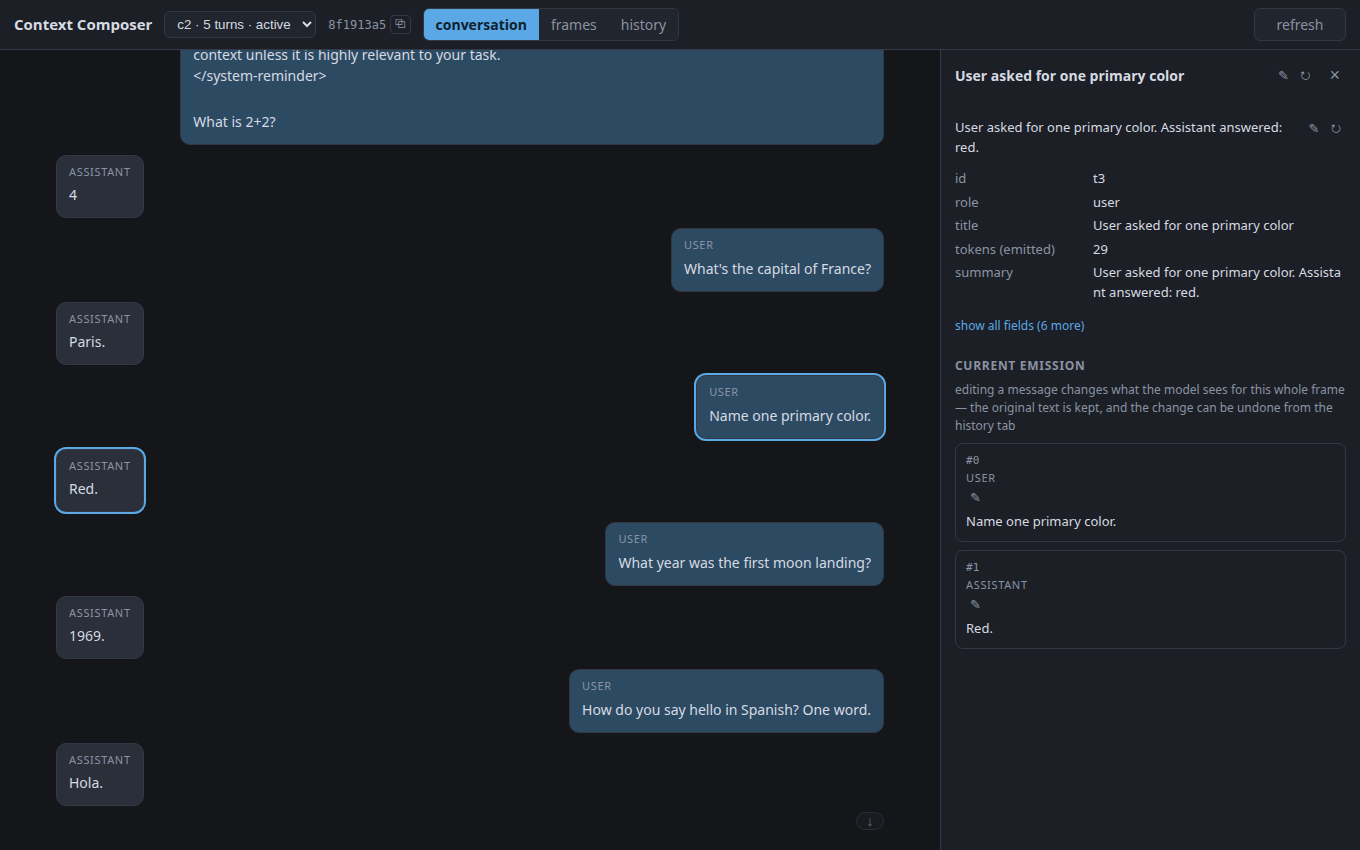
- Conversation view: the chat as the server/model currently sees it - different from what the Claude Code client sees. Clicking a message opens a side panel with the content and metadata for its frame.
- frame view: the main manipulation surface.
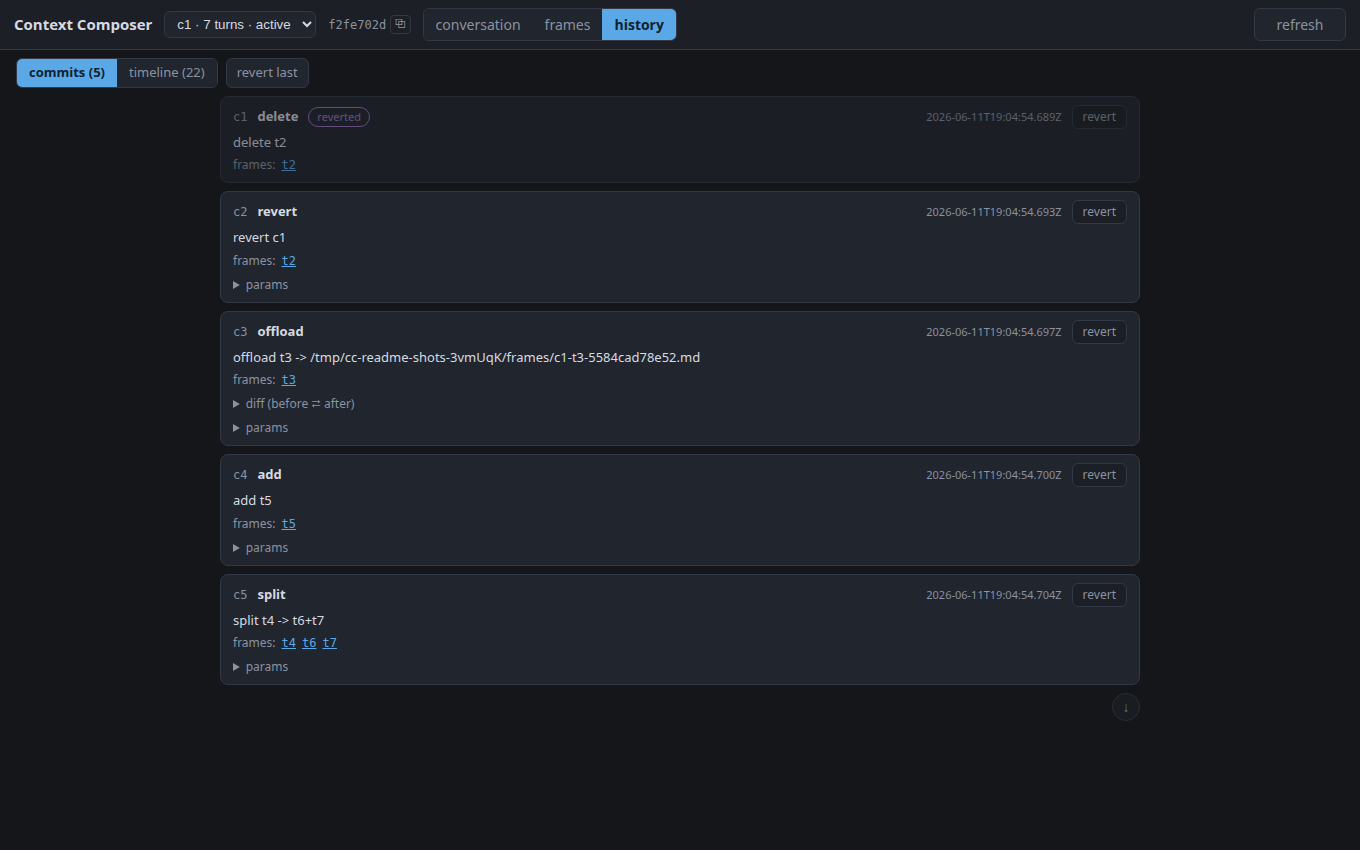
- history view: a git-like history of all context edits. Every context mutation is a commit. Chat messages are captured as well, creating a complete append-only timeline of context changes. This provides observability and makes changes reversible.
Limitations
KV Caching
There is a good reason why existing context management tools are "append-only" shaped: if you edit a single token in the middle of the context, the provider needs to rebuild the KV cache from that token onward.
So, frequent and small context modifications are inefficient (unless new caching mechanisms are invented). There are two practical ways of using Context Composer:
- Make many edits in a row. You pay for those only once, when you send the next message.
- Focus single edits only on the latest frames, letting the old ones settle into a good shape.
Hands-on management
By design, the proxy doesn't do anything on its own; it just forwards faithfully. Editing the context is on you.
As mentioned, the best way to use the tool is probably through an agent using the CLI.
Known bugs
Two conversations that start with the exact same first message get mixed - the proxy can't tell them apart. See here.
Claude Code only
The frame model isn't provider-specific, but the decompose/compose layer is.
Want to leave a comment? You can post under the linkedin post or the X post.
Footnotes
-
My own meta-harness, isomux, has a
/soft-handoffcommand, where one agent hands off a task to another agent via a direct message, while staying around to answer questions from the new agent (see more here). This works across models from different providers, like a Claude-to-Codex handoff. ↩︎ -
One dev's "semi-compact" leaves the last ~40K tokens alone and only compacts what's older. ↩︎
-
You can use this to "gaslight" the agent, making it think it said things it didn't say. E.g.: (1) ask it for
9*11; (2) edit the frame to a wrong answer; (3) ask how much is9*11again. It will likely appear confused and apologize about getting it wrong before. ↩︎