Making Agents User-Friendly
I'm obsessed with how to design systems for interacting with agents. In particular, how can we make agents more accessible to non-technical folks?
Here's a list of ideas, starting with quick wins and progressing to more fundamental redesigns (and failed experiments). These are general ideas, isomux is just the reference implementation.
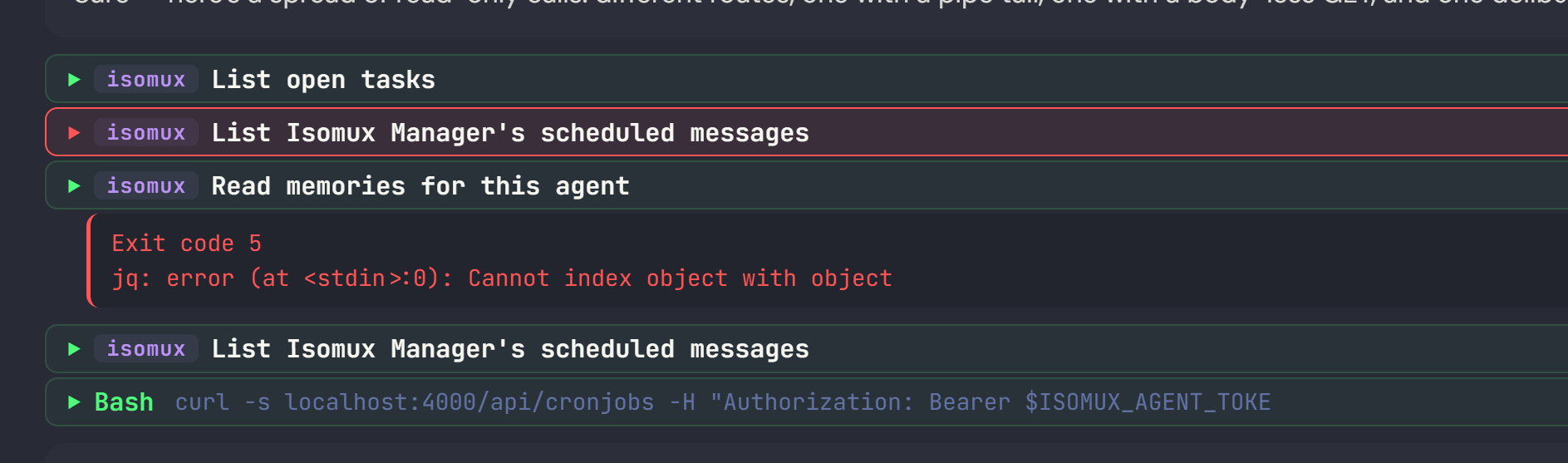
1. Prettify tool calls
Parse the CLI commands made by the agent, classify them into known categories, and style them semantically.
Here's an example from an agent making curl calls to the isomux server:
2. Context as battery metaphor
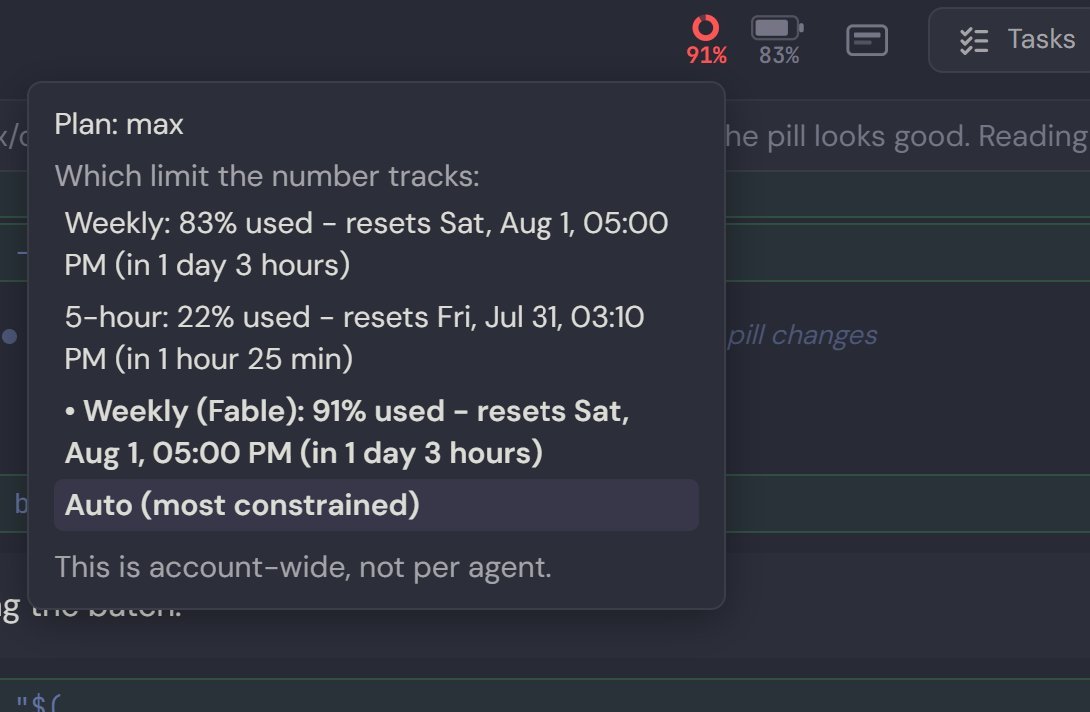
Non-technical people can think of "remaining context" as being like their phone's battery - when it starts to run low, they need to start looking for a good stopping point and recharge.

The isomux server lets agents know when their remaining context drops below 50% and 25% so they can start steering the user toward a good stopping point.
Principle: help users learn good habits rather than hide things from them (such as automatically compacting at 100%).
Bonus: Also include a usage pill which defaults to whichever limit is most constrained (5h vs weekly). This is especially convenient when using agents from multiple providers.
3. Don't make users memorize skills
Give them a UI to find their skills, sorted by what they use most.
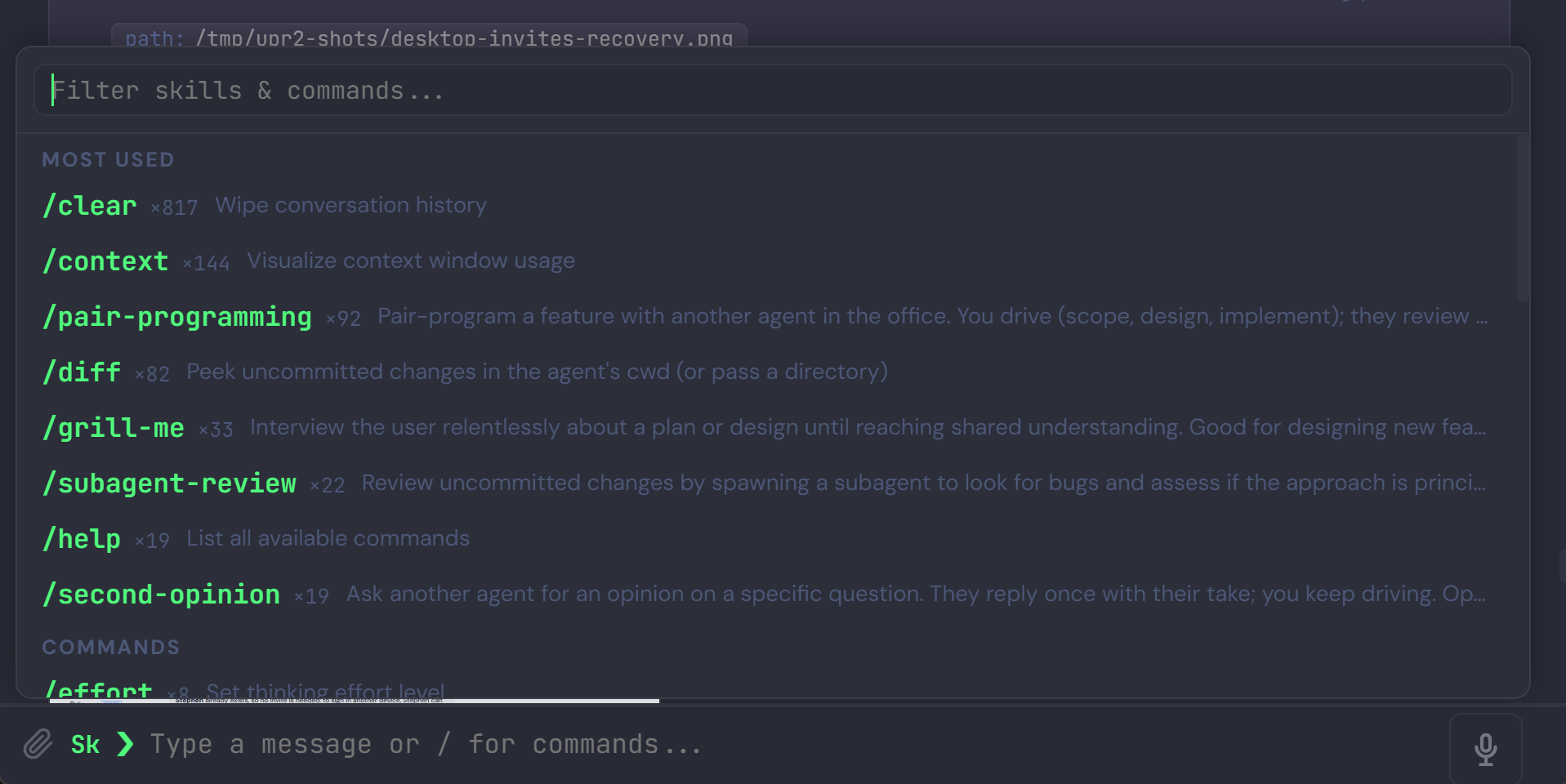
Skills only apply at the beginning of a chat message, so the "Sk" button near the input area disappears once the user starts typing.
Showing usage counts is oddly satisfying. I'm almost at 1000 /clear's :)
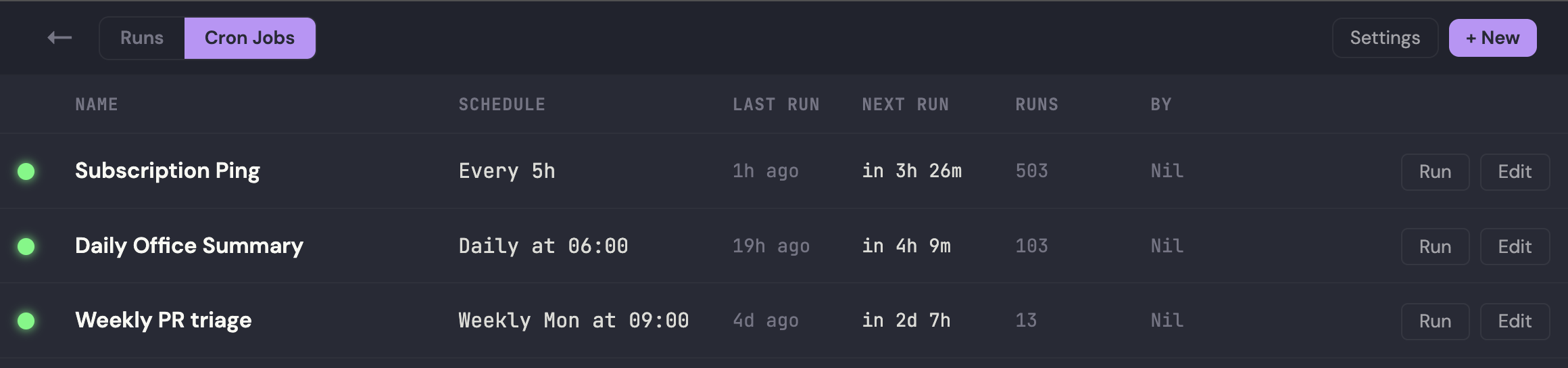
Bonus: it's especially important not to make users memorize skill parameters, such as how to specify a cron job interval. Cron jobs should have a proper UI.
4. Stop making users copy-paste
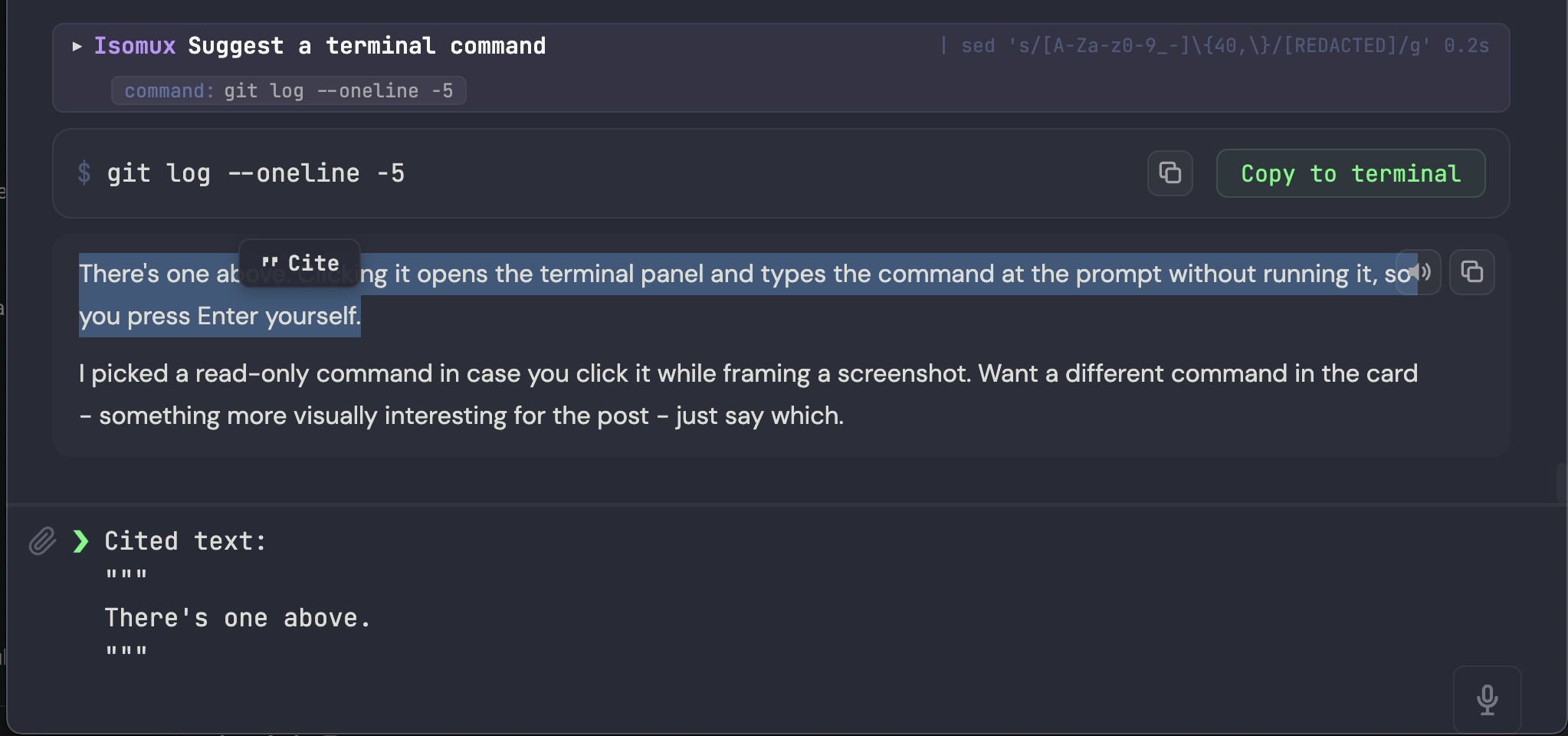
- Selecting text in the conversation (or the terminal) should offer a "Cite" tooltip to drop it in the chat.
- When an agent wants you to run a command, it should offer you a button to copy it to terminal.
Agent-to-agent communication, coming up later, eliminates most copy-pasting across agents.
Bonus: Make it easy to copy content to the clipboard anyway. There should be a copy button on each message, each markdown block, and for the whole conversation.
5. Make vertical navigation less painful
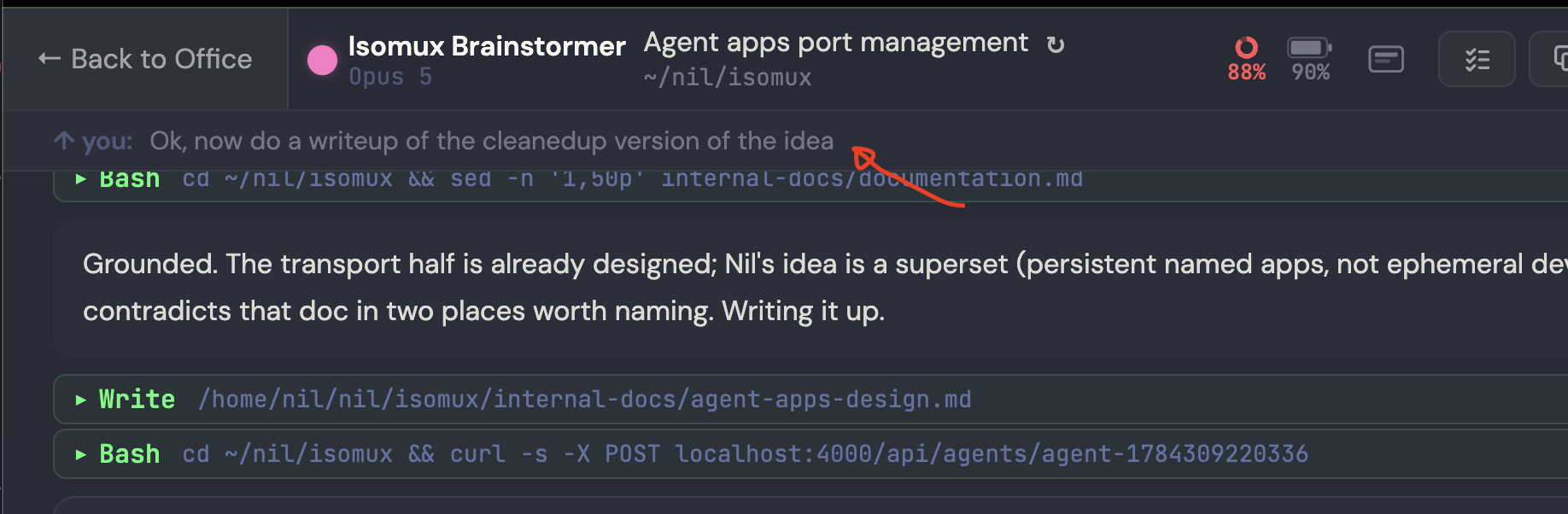
When the agent produces a long answer, show the user's latest message anchored at the top for context on what the agent is responding to. Click to navigate there (a new button should appear to return to the bottom).
Bonus: tool calls should be easy to scroll past; users don't care about the details. In Isomux, tool calls appear as a single (expandable) line, except errors.
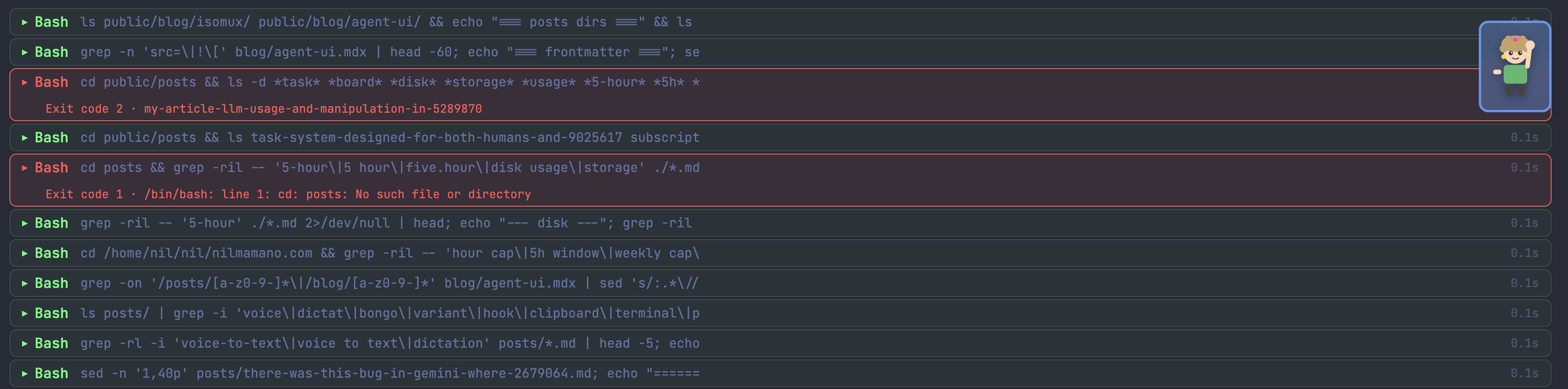
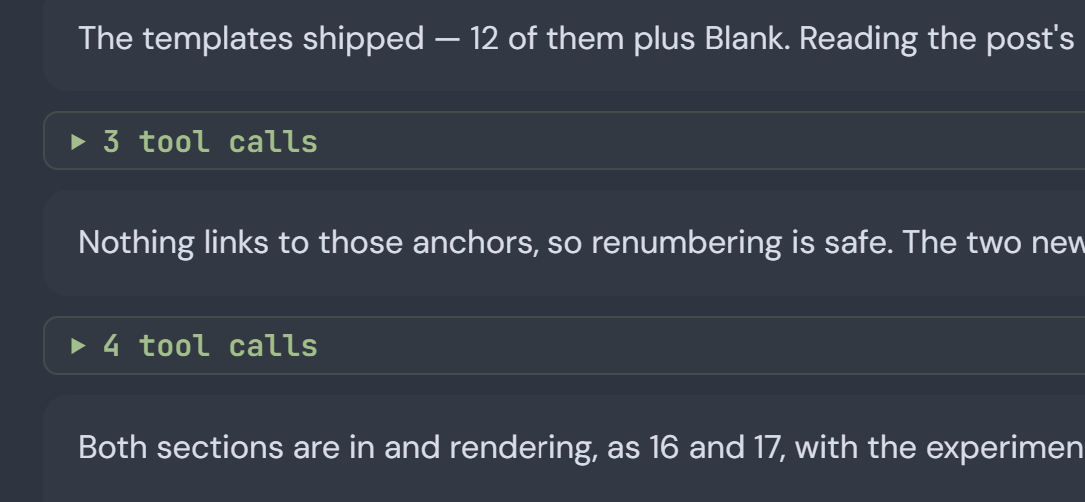
And then, once the conversation moves on, a block of N tool calls in a row gets collapsed into a single expandable "N tool calls" block.
6. Make the harness surface observable
Users should be able to observe:
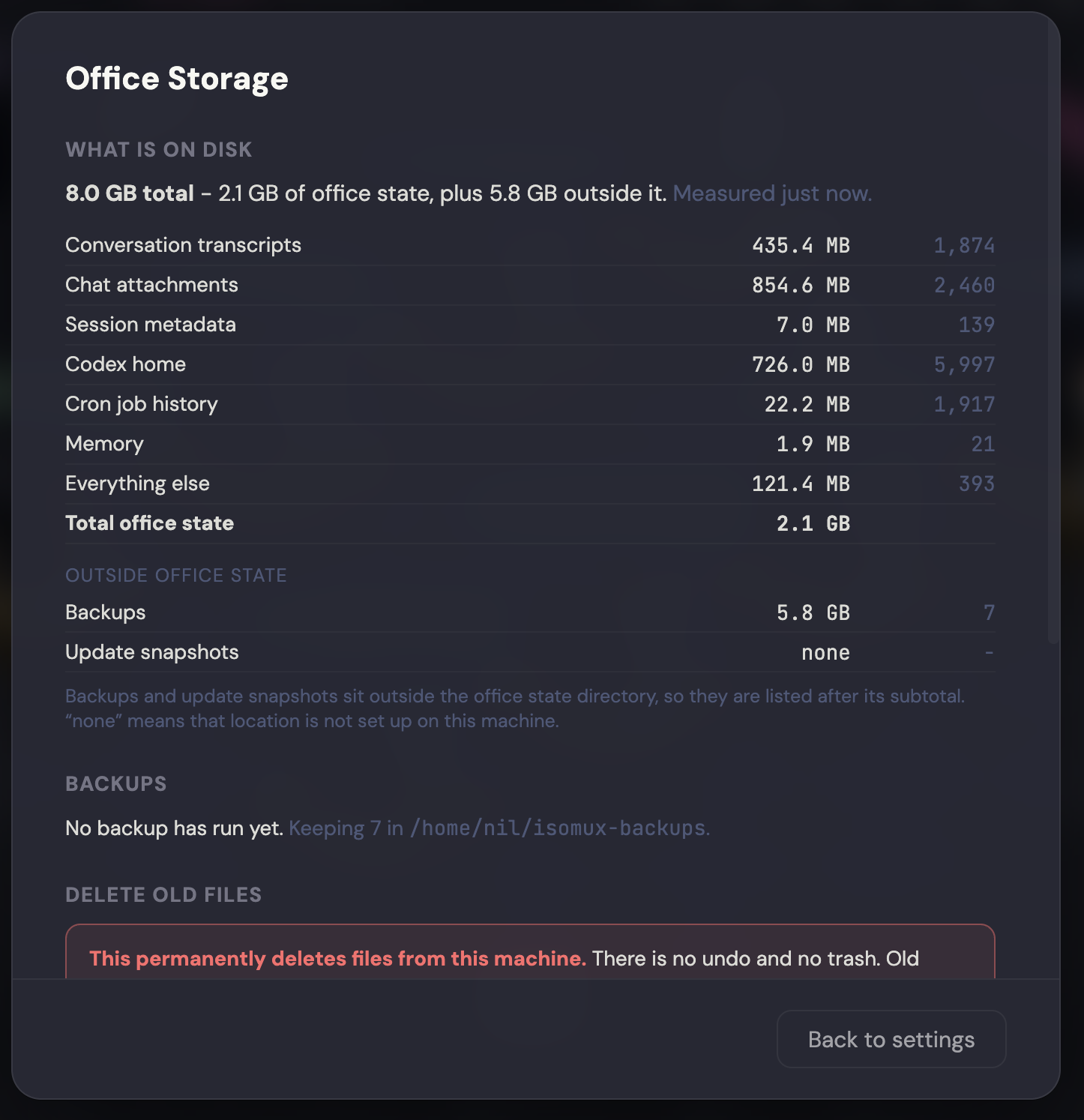
- How much storage the system is using on their behalf.
- A breakdown of where their usage is going.
- The exact system prompt it is passing to their agents.1
Isomux has commands /isomux-storage, /isomux-usage, and /isomux-system-prompt, but a proper page is better than a markdown table in chat. (Again: don't make users remember skills!)
Here's the storage interface for isomux:
Observability is also why isomux memories are easy to find and edit in the UI (as opposed to, e.g., stored in a vector database).
Bonus (while we are talking about storage): if the system stores important state, think about handling backups.
7. Let agents put things in chat that aren't text
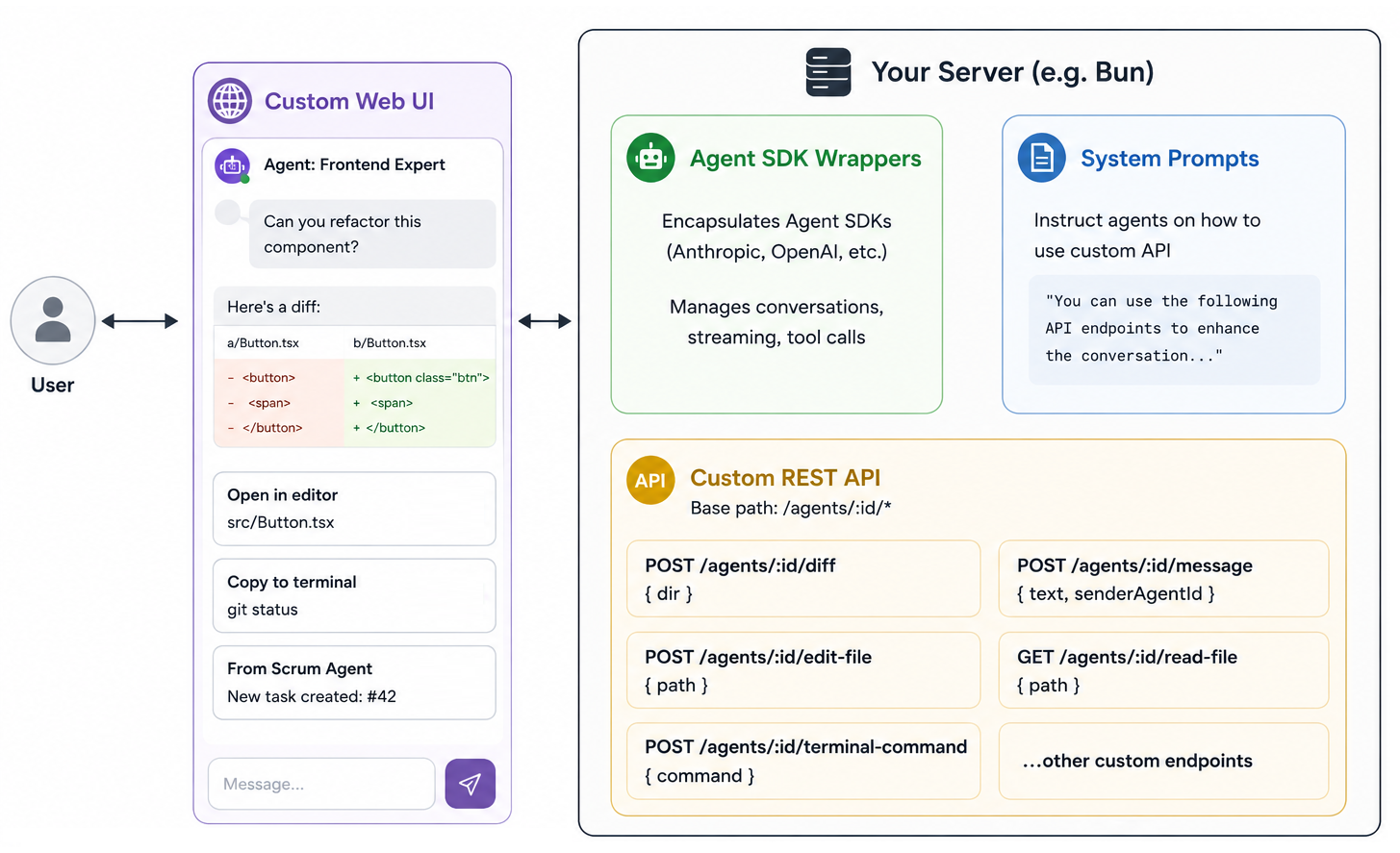
Like a diagram, a code diff, a browser screenshot, a button to open a file in the editor, or a button to run a command.
The general recipe is to add one POST endpoint on the server per component and tell agents about it in the system prompt.
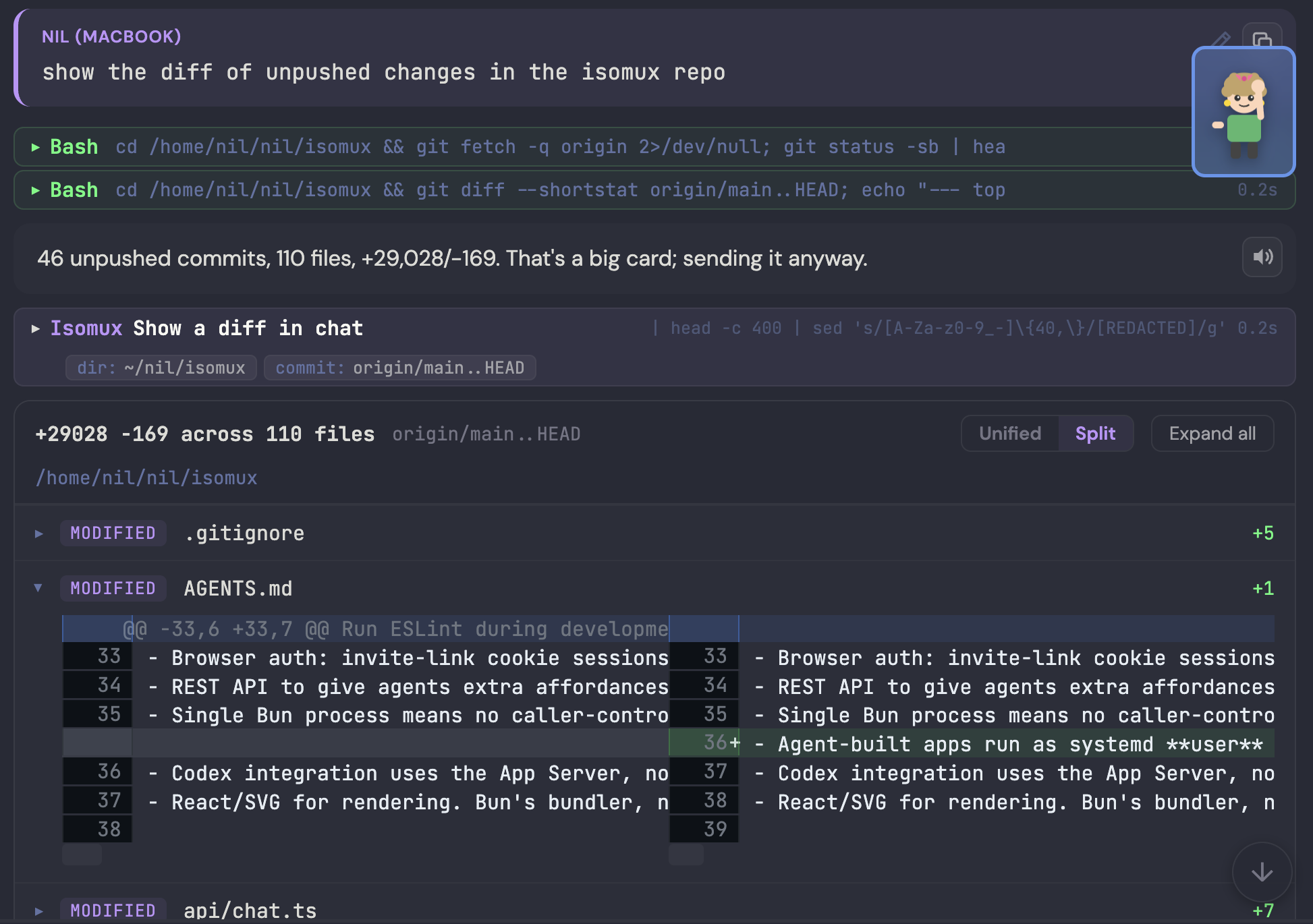
For example, here's an agent inserting a diff:
8. Anthropomorphize agents
Non-technical folks are used to working with people, not terminals. So make agents more like people. A name, a look, memories built over time, its own conversation history, etc.
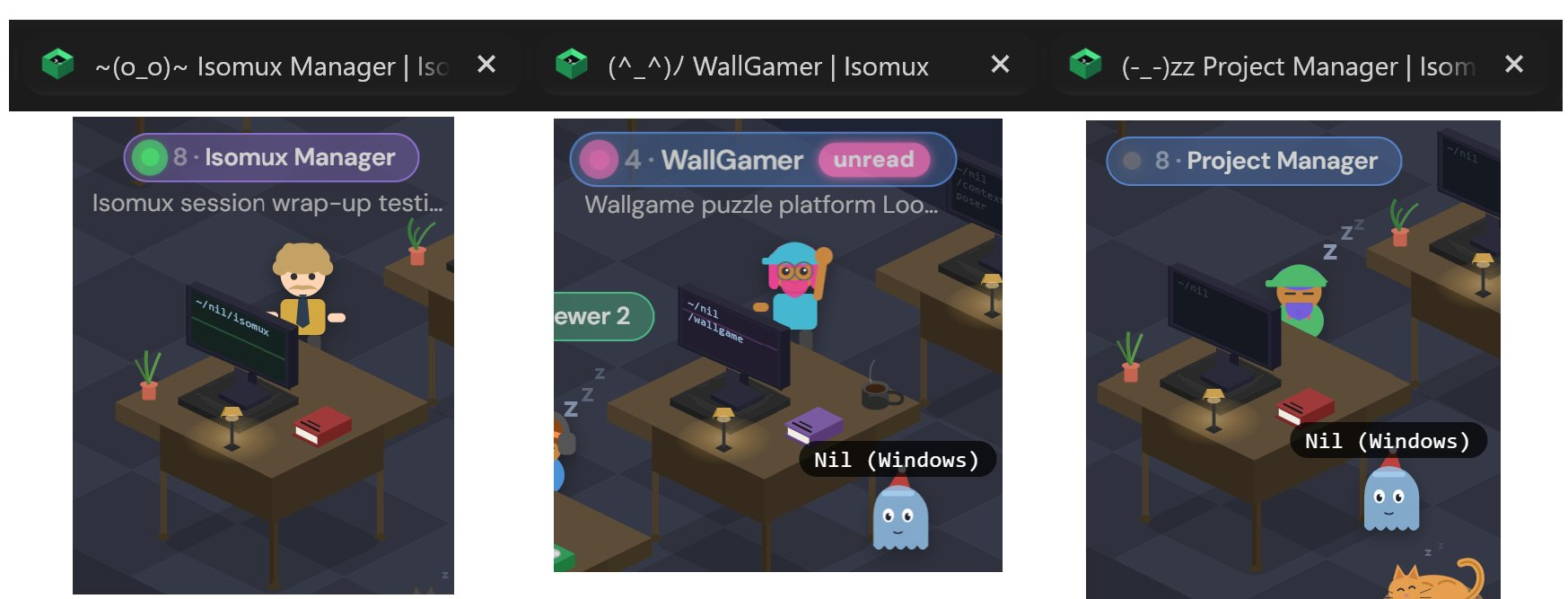
Anthropomorphized agents can have body language. You can even show it in the browser tab:
9. Try something other than vertical tabs
Every agent management system seems to converge on vertical tabs, so literally anything else stands out...
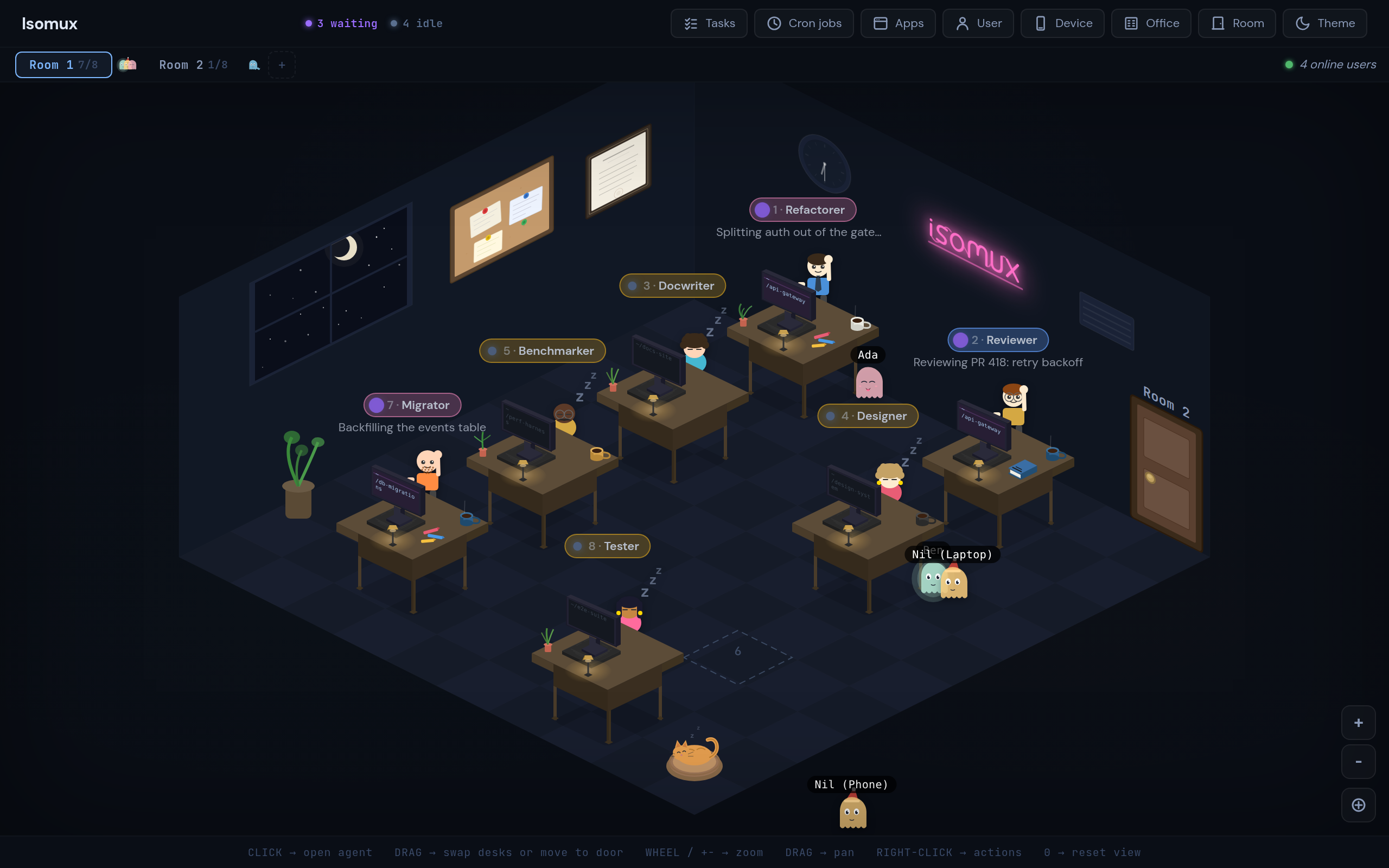
For instance, this office view lets you see, at a glance, each agent's body language, conversation summaries, and other humans' presence:
Bonus: Add navigation shortcuts. Isomux uses Tab/Shift+Tab to cycle rooms, 1-8 to talk to the agent at that desk, Tab/Shift+Tab to cycle between agents in the room (skipping idle ones), and Esc to return to the office.
10. Session hygiene
After a session, there are often loose ends:
- Follow-up tasks
- Lessons learned that must be remembered
- Committing, pushing, and/or deploying changes
- Cleanup of files or processes created during the session
- Notes the user must see and might have missed
- Creating a handoff prompt for the next session
Use a /wrap-session skill to tie loose ends. In particular:
- Tasks need a place to go, like a built-in task board where they are easy to pick up in the future
- Durable lessons go to memory
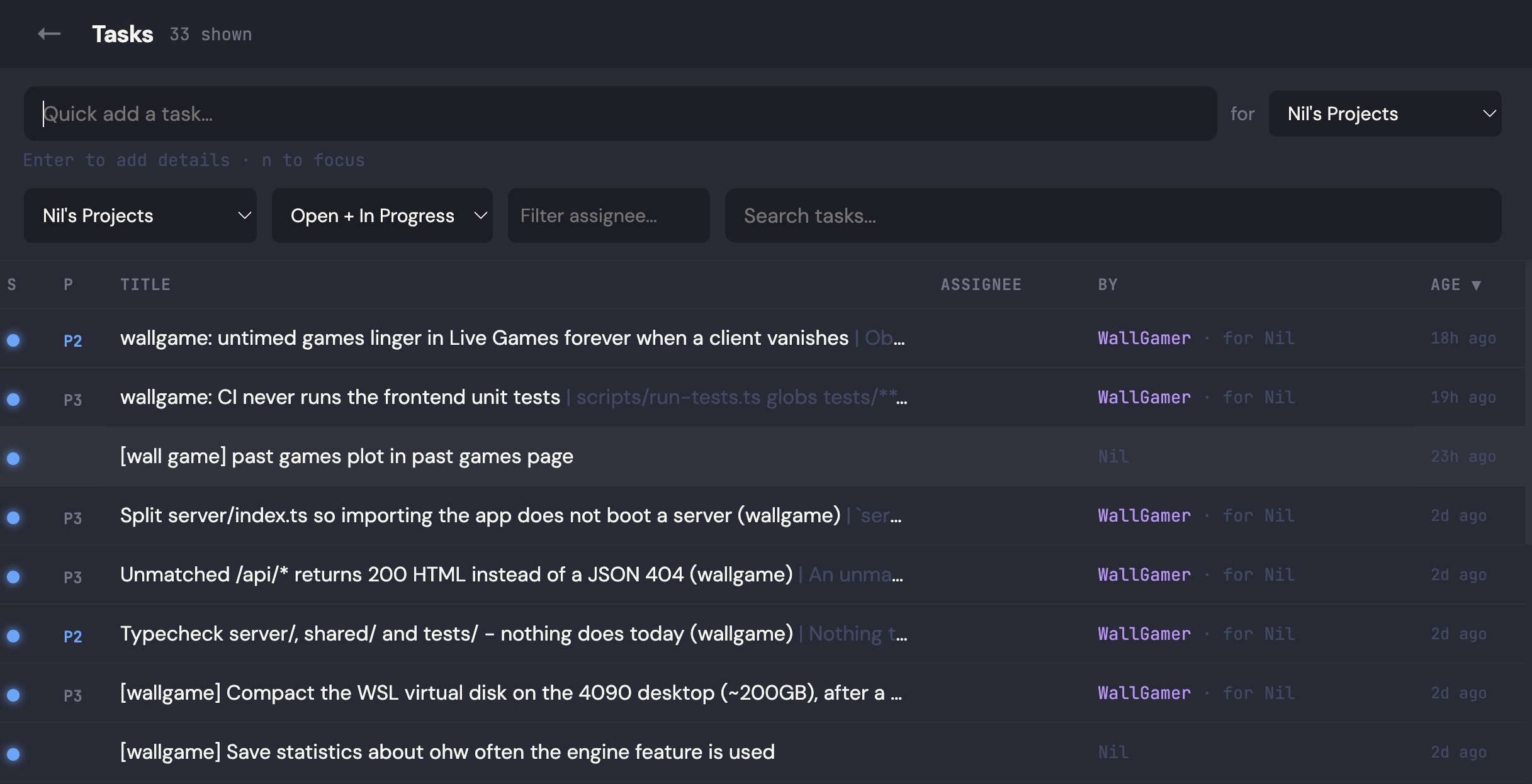
This is what isomux's human-agent shared task board looks like. Every work session starts and ends here:
Bonus: Handoff is better than compact. In isomux, agents can clear their own context and start a new session with a prompt of their choice.
The /handoff skill tells the agent to propose a prompt, ask the user to approve it, and execute the handoff.
11. Live collaboration
Let users collaborate as if it was Google Docs.
One of the best ways of onboarding non-technical people onto agentic systems is to allow their more technical colleagues to chime in on their conversations. E.g., if a non-technical user gets stuck, they can step in and get the session back on track.2
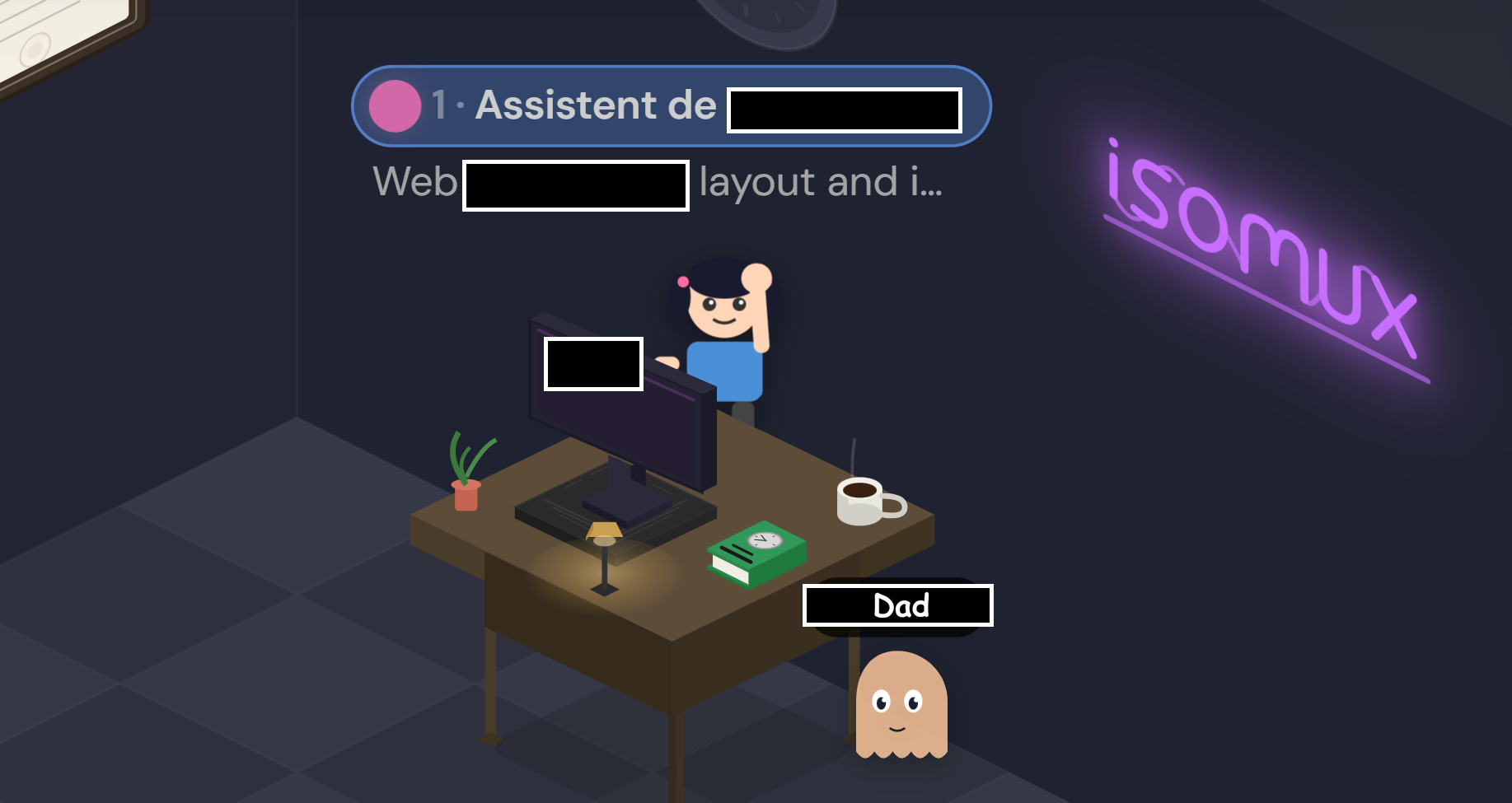
For example, I added my dad (not a coder, not an English speaker) to my isomux office and helped set up an agent for him to help build his personal site:
The hard part is the tradeoff between collaboration and privacy. For isomux I went all in on trust - office members all have access to the same file system and terminal, so you should only add people you trust fully.
Bonus: Live user tracking, like in Google Docs.
12. Let agents discover and message each other
Agent-to-agent communication (between agents that the user talks to, not just subagents) enables a ton of cool stuff. Here are some examples:
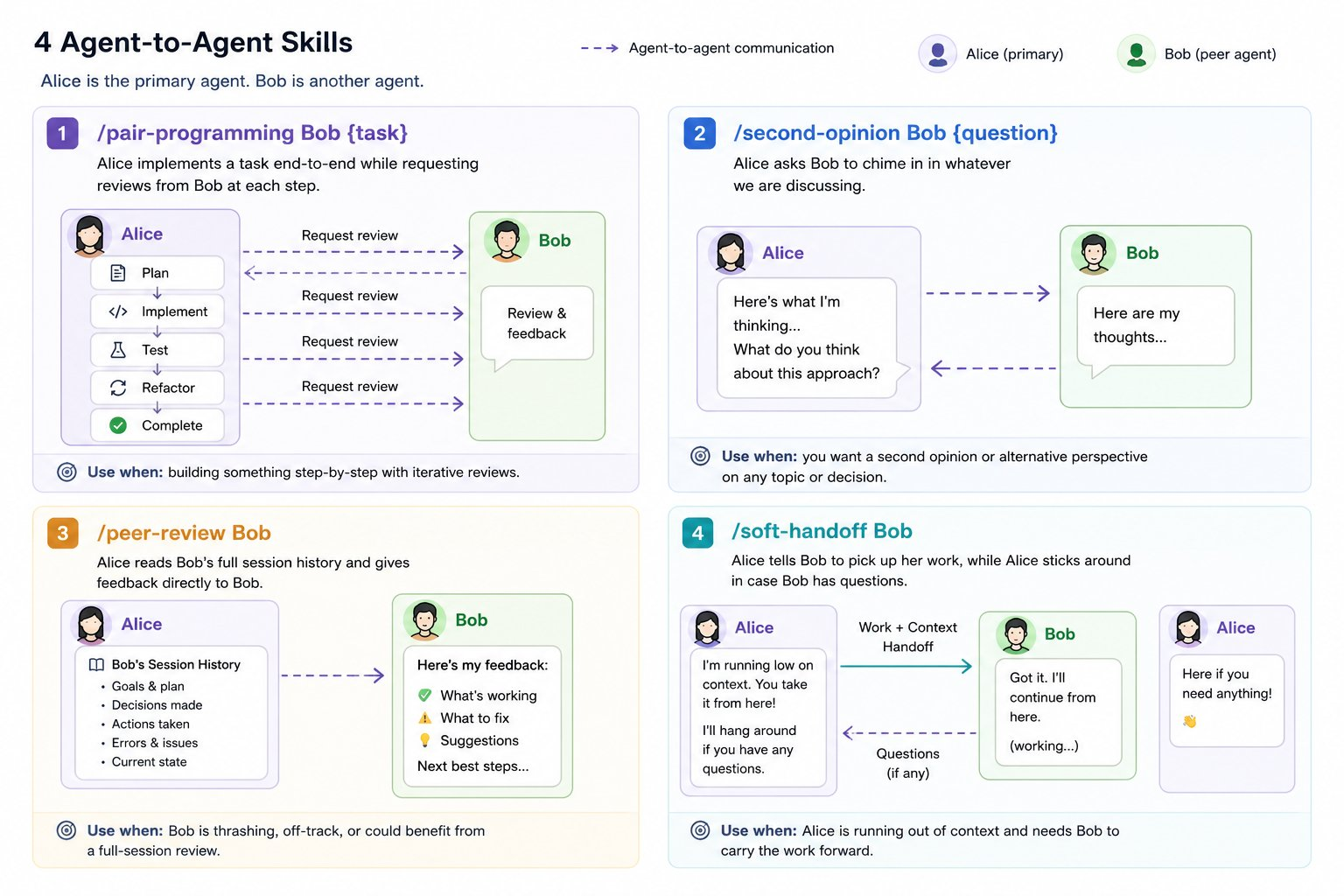
The key to making this work is in the details of the message queue:
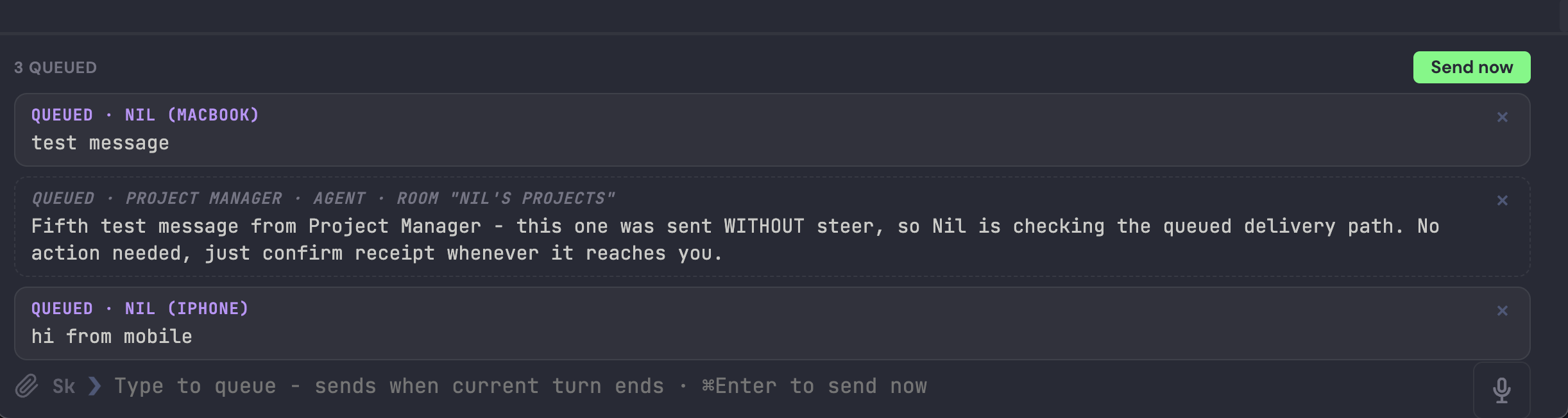
- let agents know which human and/or agent sent each incoming message (for humans, I include the device)
- let agents know whether the messages arrived in response to their last message, or before that (to avoid interpreting them as an answer to a question that came after)
- let both humans and agents queue or steer. (Agent-to-agent communication works best when one steers and the other queues.)
- let both humans and agents update, remove, and/or flush queued messages
13. The 5-hour hack
You know when you hit the 5-hour limit one hour in, and wonder what to do for four hours?
This is a bit cheeky, but a cron job that pings each provider every 5 hours is a slight improvement: this way, the 5h window resets on average 2.5h after you start working.3
14. Voice both ways, on every device
Rambling at agents is now a legit way of working, so voice input is a must.
One advantage of a browser-based frontend is that you can lean on the browser's speech-recognition and speech-synthesis APIs. They are not great, but they are free and built-in.
15. Deterministic denials for no-no actions
A boring one, but a good safety net. Isomux blocks:
- Git commands that discard work
- Variations of
rm -rf - Writes to isomux state
- Reads of
.envfiles, private keys, and credentials - Killing processes in a way that may also hit processes the agent doesn't own
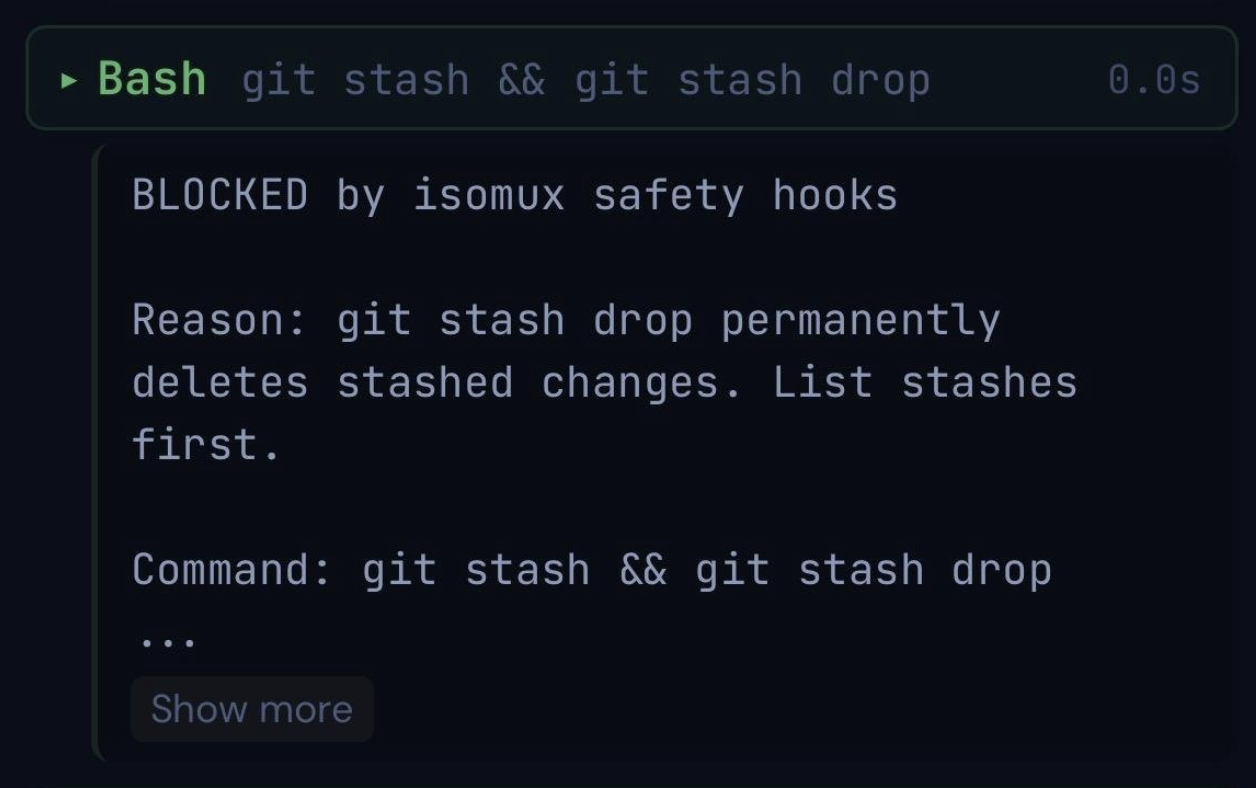
Two ways of making false positives less annoying (which they are!):
- Exceptions, lots of them (e.g.,
rm -rfunder/tmp) - A copy-command-to-terminal button when commands get blocked
16. Offer predefined agent templates
When a user spawns an agent, offer a set of ready-made profiles next to the blank one.
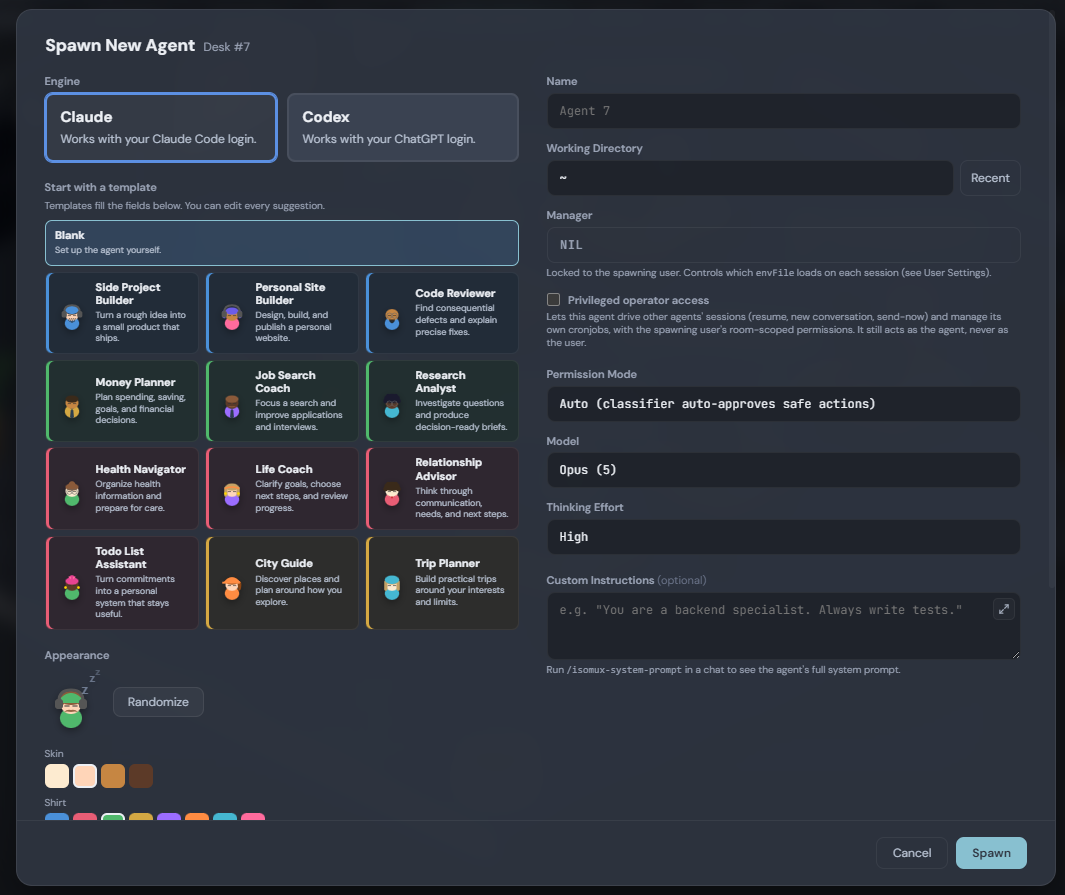
Each profile comes with a dedicated system prompt, and, as they accumulate memories and session history over time, they become the go-to agent for personalized expertise on a topic.
It helps users realize potential use cases for agents they may not have thought of.
17. Let personal software ride the meta-harness runtime
Software-for-one doesn't scale once a user has 10+ agents spinning up their own apps: ports are hard to remember, can collide, and are unfamiliar to non-technical users; apps may go down when the user clears the session.
The missing piece is an app orchestrator module in the meta-harness itself, because the meta-harness already solves the hard parts: an always-on box, accounts and permissions, a UI that syncs across devices, and an API agents already call.
The whole loop:
- The user asks an agent for a personal-software app.
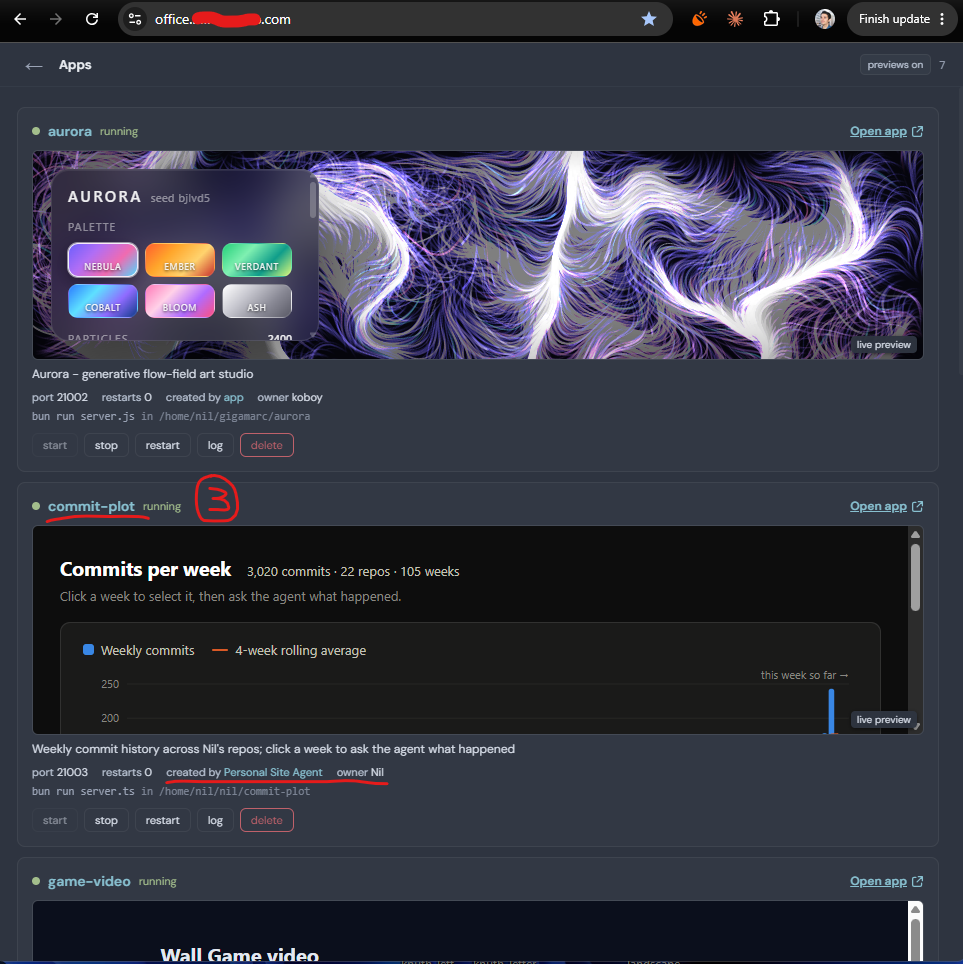
- The agent registers it with the meta-harness, which handles ports and gives it a subdomain.
- It appears in the Apps page of the meta-harness, next to apps registered by other agents on behalf of other users.
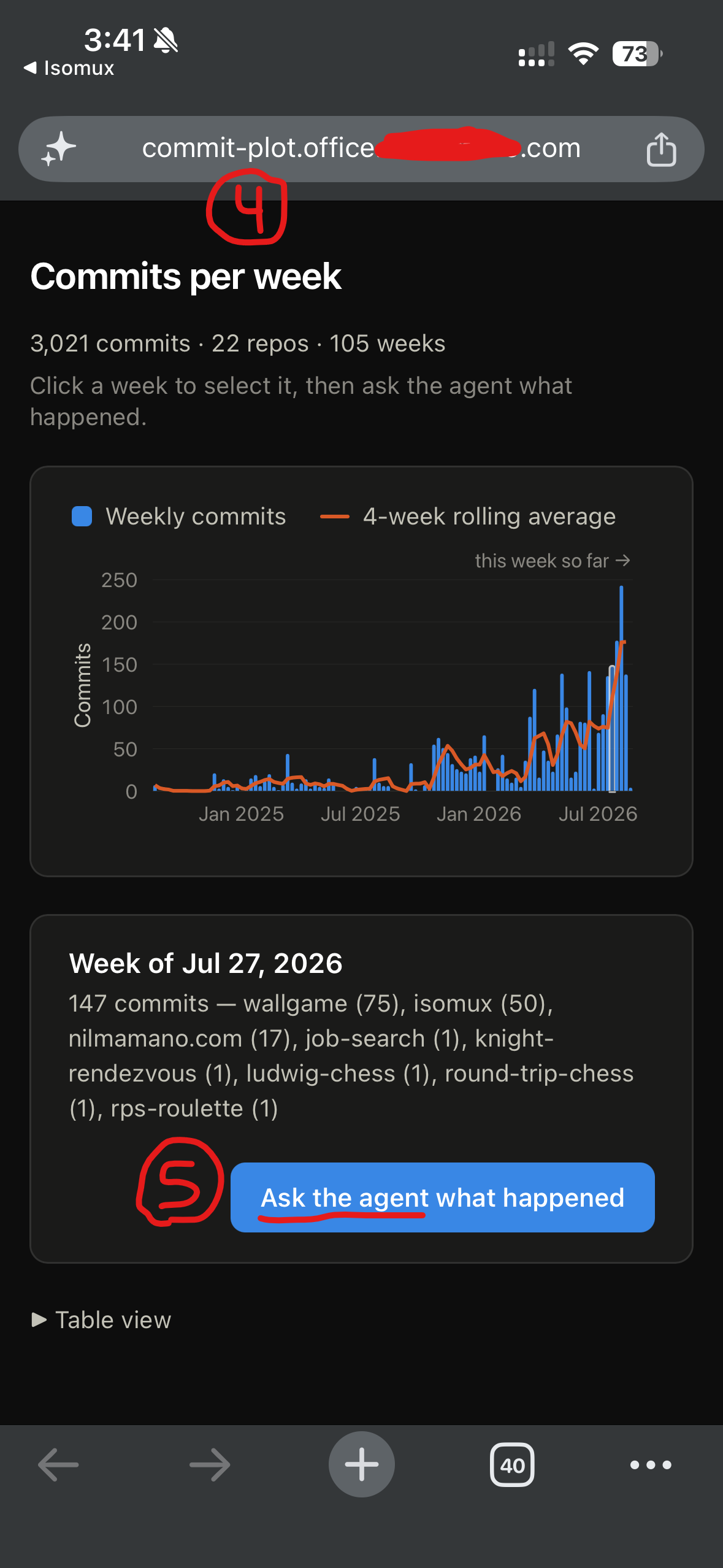
- The user opens the app from any device, including their phone.
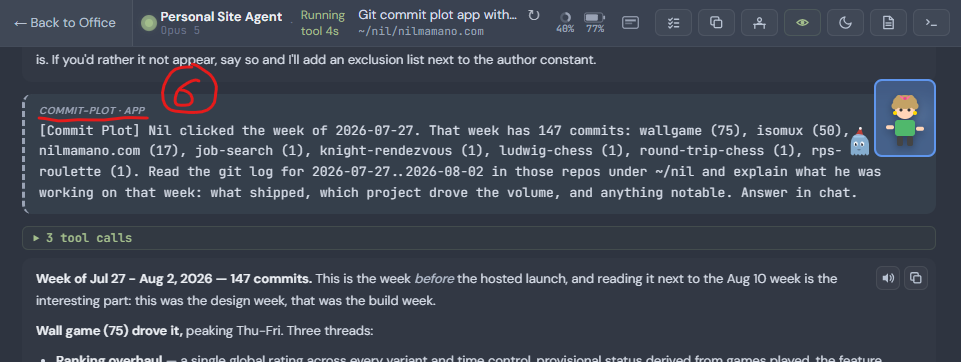
- A button in the app messages the agent back.
- The agent acts on the message, forming a closed loop.
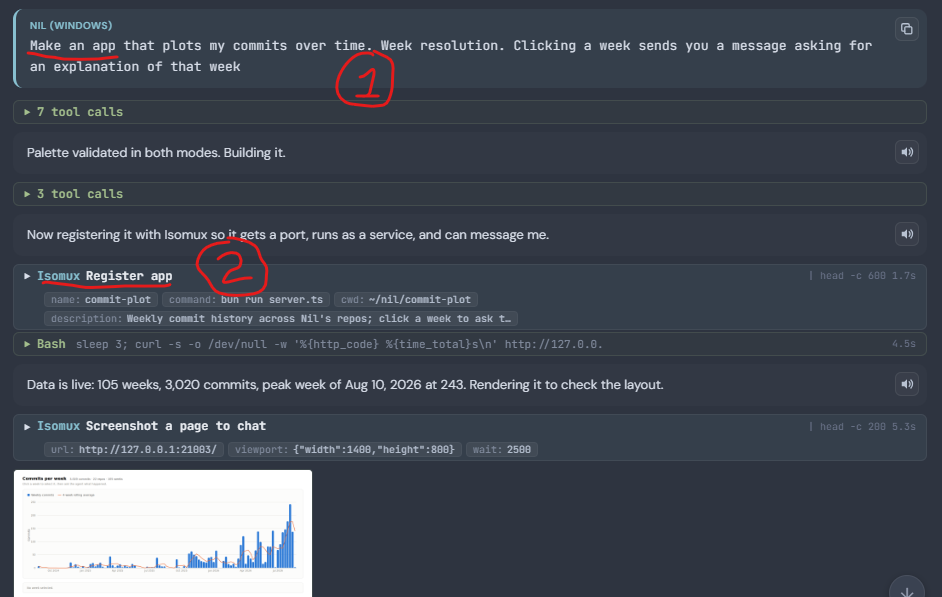
18. Experiment: slide mode
Agents yap too much; users tune out. Slide mode forces the agent to design a single slide for each turn. E.g.:
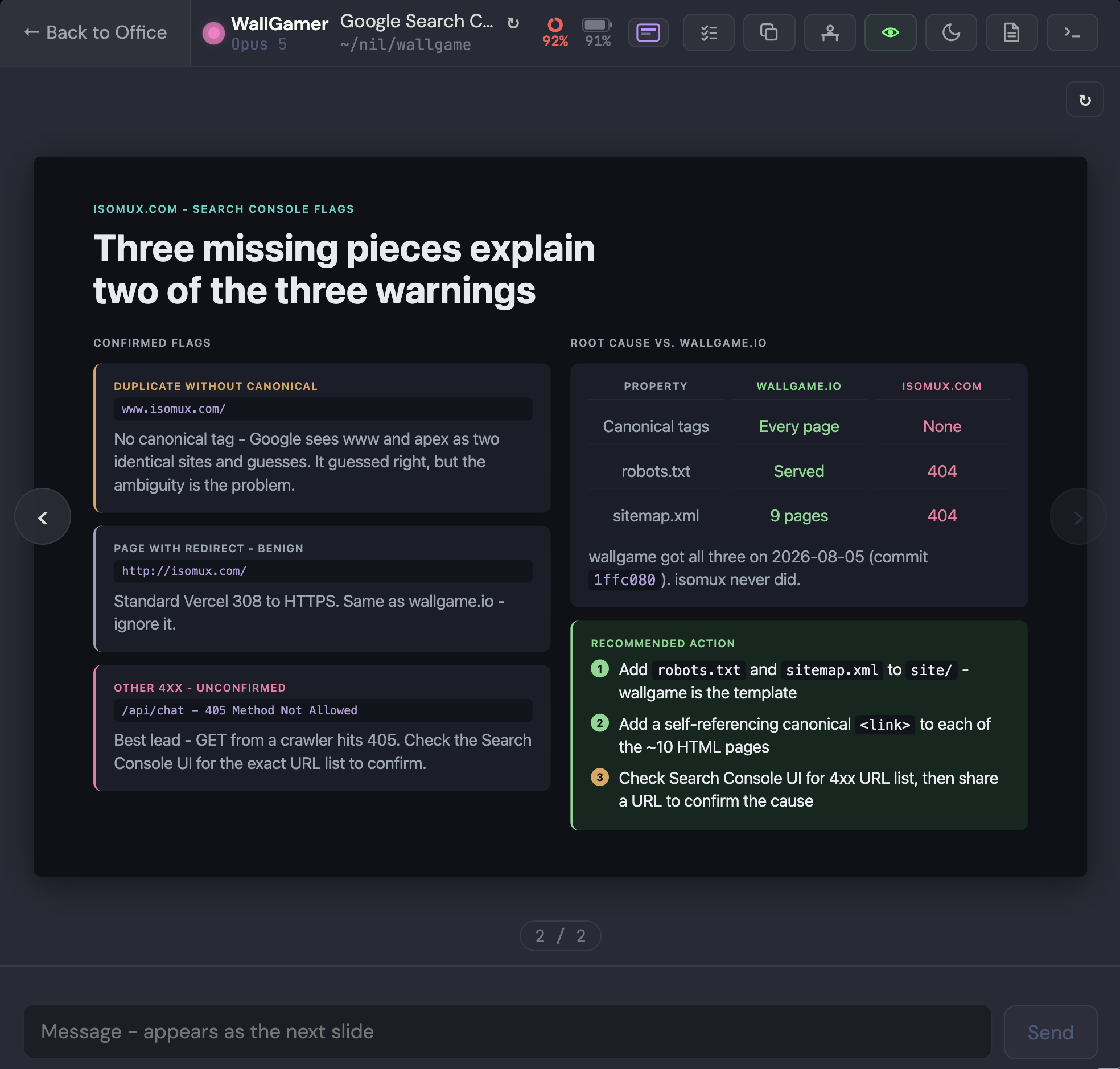
I don't use slide mode much because generation is too slow. Attempts to speed it up degraded slide quality too much.
19. Experiment: continuation variants
The model produces probabilities for every token. How can we use that?
I tried coloring the lowest-probability words and letting the user swap in the alternatives the model almost picked.
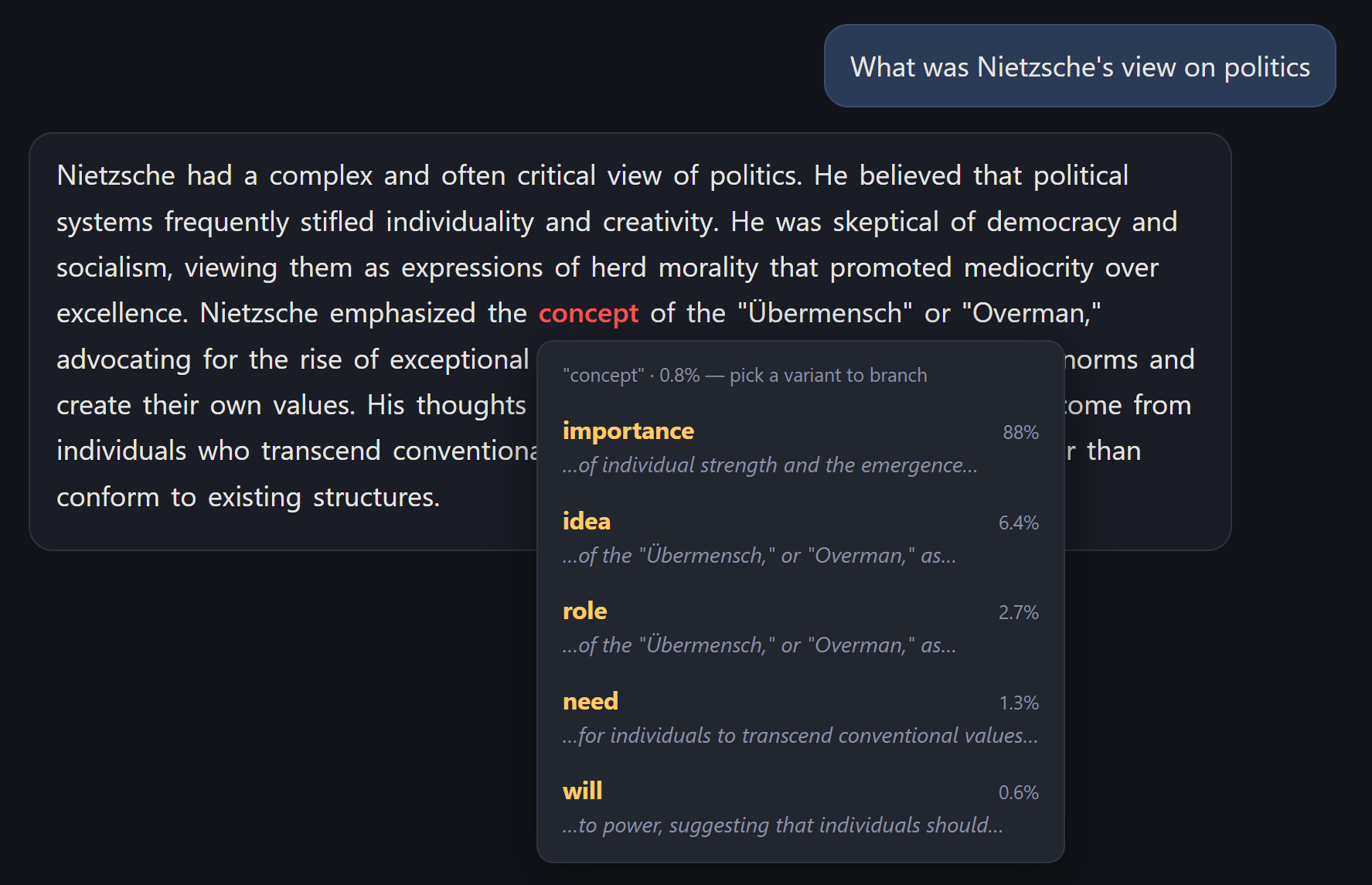
The problem is that low probability doesn't correlate with "likely mistake or hallucination." It's more often a signal of stylistic freedom, like "vibrant" vs "beautiful."
Final thoughts
Non-technical people won't touch a terminal, so what will work for them?
OpenClaw's ingenious answer was to meet people where they already are, and go all-in on integrations.
But you give up the interface - Telegram was not designed for working with agents. So, my answer was to design a custom interface that's appealing to non-technical folks - by leaning into the "agents as coworkers in your office" concept. See the isomux blog post for more.
Anything missing? I'd love to hear your ideas.
Want to leave a comment? You can post under the linkedin post or the X post.
Footnotes
-
Gemini had a bug where only some models saw the custom instructions, so I added a line in my custom instructions saying "My name is Bongo, I like being addressed by my name". I knew if the custom instructions made it in based on whether the chatbot called me Bongo. ↩︎
-
Live collaboration has potential not only as a feature, but also as a distribution channel: if a tool is useful when you use it on your own, but gets more powerful when you bring in a friend or coworker, users help you bring new ones. ↩︎
-
One time, I had a vibe coding interview and timed my 5-hour reset to fall in the middle of it. ↩︎