Toolkit-X: A better way to do DS&A problem lists
Hi! I'm Nil, a co-author of Beyond Cracking the Coding Interview. This post covers my thoughts on problem lists and why they led me to build Toolkit-X, a structured DS&A toolkit that can be used like one.
What are problem lists?
Problem lists are a popular approach for DS&A interview prep. The premise is alluring: complete every question in the list and you'll be interview-ready.
The NeetCode lists (NeetCode-150 and NeetCode-250) are the most popular. There's also the Blind-75, which started the trend, and the Grind-75, an updated version by the same creator. These lists focus on question popularity and breadth of coverage.1
Why are problem lists popular?
- They make it easy to start. Just opening the first question feels like less of a commitment than buying a course or book.
- They provide direction and structure, ensuring you touch every major topic without going too deep into any one of them. If you are new to interview prep, LeetCode (with its 3,716 questions) can be overwhelming.
- They 'gamify' interview prep. They provide a progress bar and a clear end goal for when you are interview-ready.
Should you use problem lists?
Sure, but with the right mindset.
By focusing on problems, problem lists risk emphasizing the wrong thing. "Checking off" a question should never be about knowing how to solve that particular question.
Trying to memorize solutions to popular questions in case you get them in an interview is a terrible approach. You'll likely blank out on new questions - or burnout during prep.
Instead, the goal should be to learn the reusable ideas behind the solutions. A successful practice session should feel like adding a new tool to your DS&A toolkit, or at least sharpening an existing one.
What is Toolkit-X?
I think problem lists have it backwards: it shouldn't be a list of problems; it should be a list of tools.
That's why I created Toolkit-X, the first tool list for DS&A interview prep. The progress bar looks like this:

Instead of checking off solved problems, you check off acquired tools.
I use "X" instead of a fixed number like 75 or 150 because I may refine the list of tools over time.
For each tool, I include a problem that demonstrates its use:
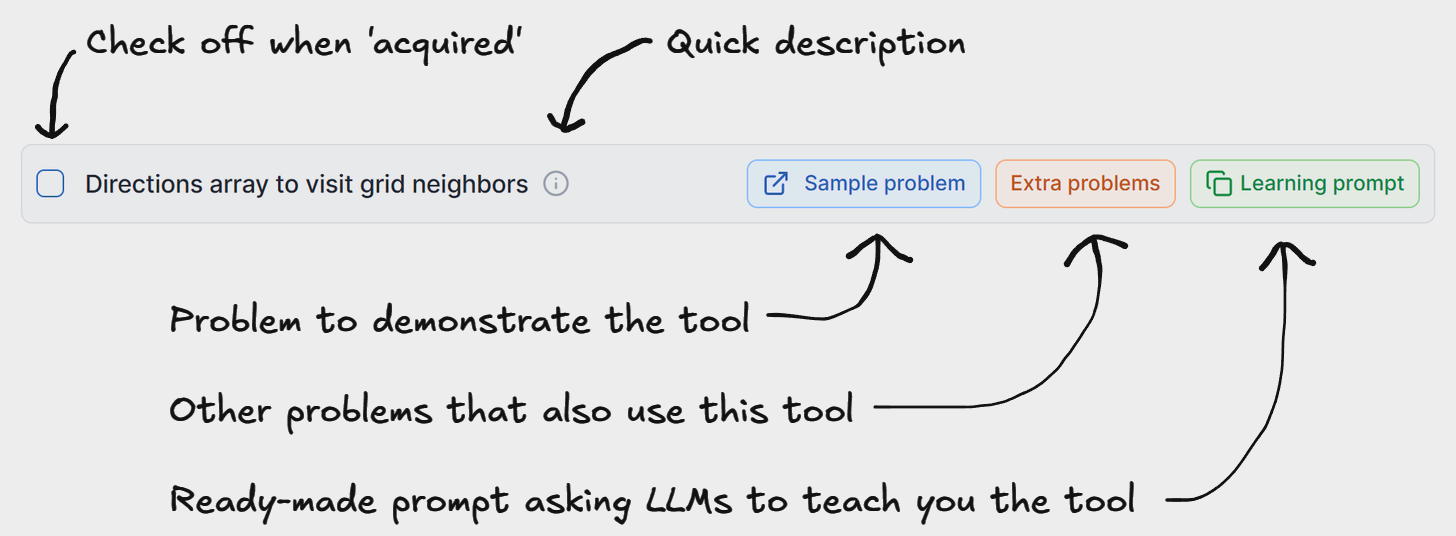
For instance, the above tool is about using a directions array to iterate over neighboring cells in a grid, and the problem used to demonstrate it is about chess moves:

If you want, you can check problems off too (by opening the 'Extra Problems' view), but the specific problem doesn't matter - it could be any problem that illustrates the tool well.
Tool is an intentionally vague concept. It ranges from common algorithms (like DFS), to common data structure uses (like using maps to track frequencies), to reusable ideas (like "think of backtracking as doing a DFS on a decision tree").
Tips for using Toolkit-X?
- Maintain a cheat sheet with the tools you learn, useful tricks, and code recipes. Revisiting it will help you not get rusty, especially if you write it yourself (not GPT).
- Active learning is key! Try to solve the problems yourself first.
- Resist the temptation to check off every extra problem. As soon as you 'get' a tool, move on.
- Read the "About" section at the top of the page before starting.
- Remember to also do blind practice where you don't know the underlying topic or tool in advance.
"How did you come up with the tools?"
I spent much of the last two years writing Beyond Cracking the Coding Interview (with Gayle, Aline, and Mike) and expanding its online materials.
To compile the list of tools, I made sure to include all the substantial, reusable ideas from the book. That became the basis for this list. I then classified them as core tools (the ones most people should learn) and extra credit tools (less common or harder to master, with diminishing returns for your time).
"How did you come up with the problems?"
Most problems are from BCtCI. Except for a few classics that everyone is expected to know, most problems were originally created by Mike Mroczka and me precisely to illustrate the reusable ideas in the book.
We wrote solution write-ups for all the questions, with code in Python, C++, Java, and JavaScript.
The problems and solutions are hosted on the BCtCI platform on interviewing.io. We have an AI interviewer where you can try all the problems:
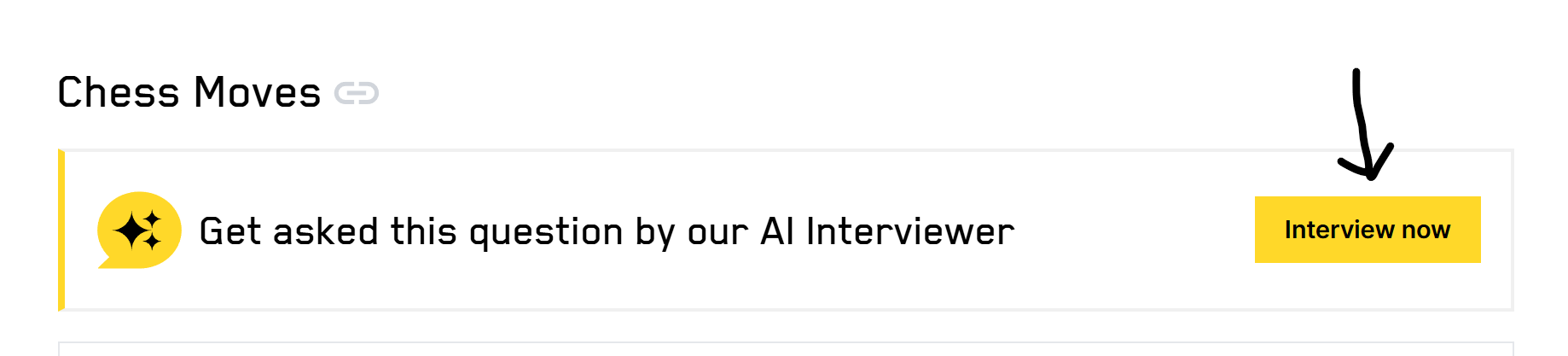
You'll have to create an account if you don't already have one, but there's nothing else you need to do to access all the things.
Should I read BCtCI or use Toolkit-X?
I created Toolkit-X for those who don't have time to read a full book. That said, the book contains our best explanation of all these tools (You can check out our free chapters here).
I included "learning prompts" for each tool you can use with ChatGPT or other AIs, but I don't expect they'll be as good as the book.
The book also covers a lot more than just DS&A topics, including:
- Job search guidance: getting in the door, delaying or accelerating the process, negotiating, etc.
- How to apply your DS&A tools effectively in the interview setting: we walk you through the key things to say and consider at each step.
- How to develop general problem-solving skills (we call them "Problem-Solving Boosters" - see this post for more) and related concepts like "boundary thinking" and "triggers".
Good luck!
I hope you find the list useful. If you acquire all the core tools in Toolkit-X, you should be in good shape for FAANG and Big Tech.